
Table of Contents
- What is XSS and how it works?
- Attack Simulation Scenario
- Detecting the Attack
- Handling and Responding to the Attack
- Eradicating the Vulnerability
- Confirm the Attack Resolution and Defense in Place
- References
What is XSS and how it works?
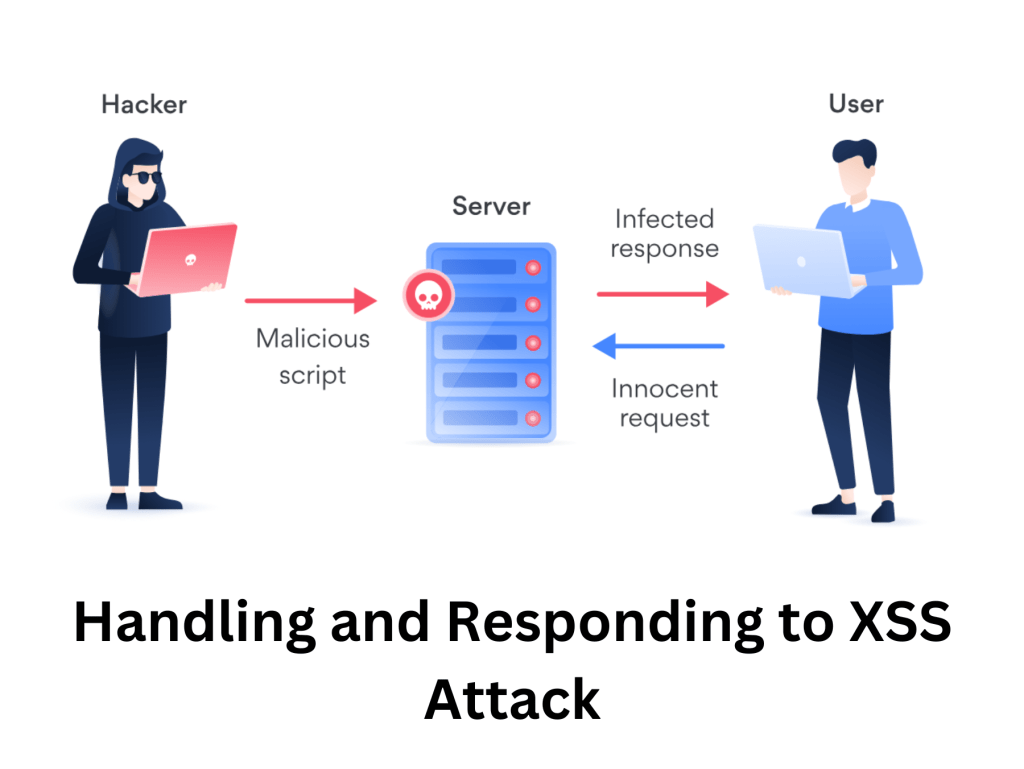
XSS (Cross-Site Scripting) is a type of security vulnerability in web applications that allows attackers to inject malicious scripts (usually JavaScript) into webpages viewed by other users.
Injection: The attacker finds a way to insert malicious JavaScript into a webpage. This could be through a comment box, a search field, or a URL.
Execution: When another user loads the webpage, their browser runs the injected script, thinking it’s part of the website.
Impact: The script can steal cookies (which might contain login sessions), deface the webpage, or redirect the user to a malicious site.
Attack Simulation Scenario
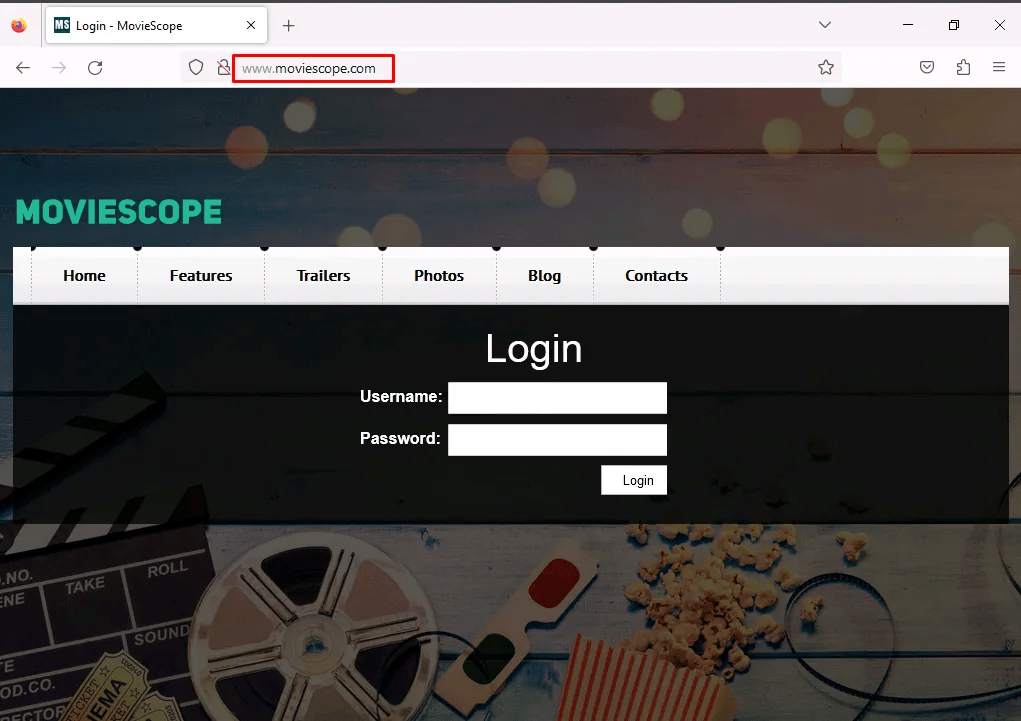
Navigating to http://www.moviescope.com – log with a valid user.
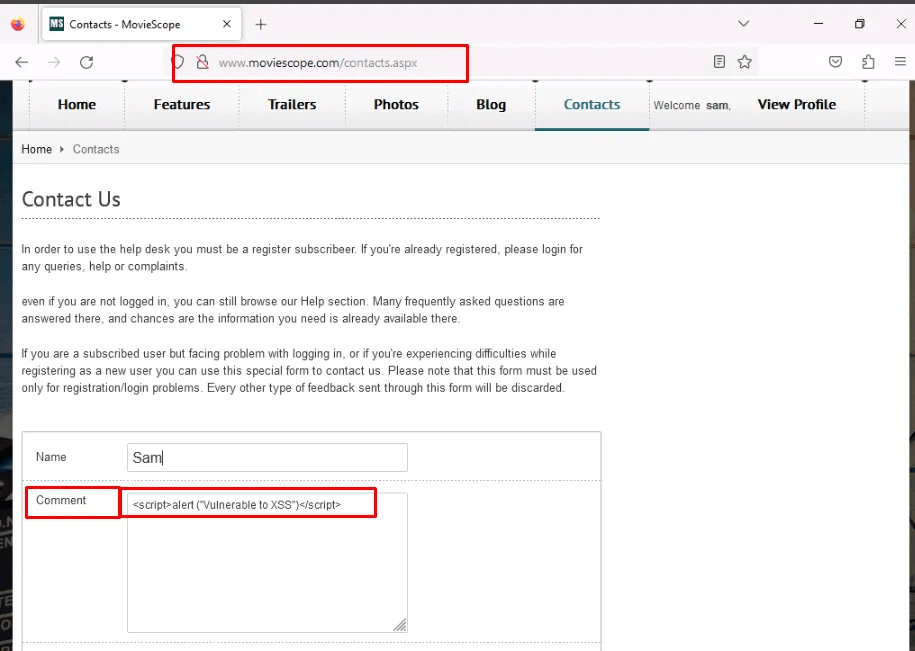
Once logged in, navigate to contact us, in the comment section when typing the below basic JavaScript code and submit it.

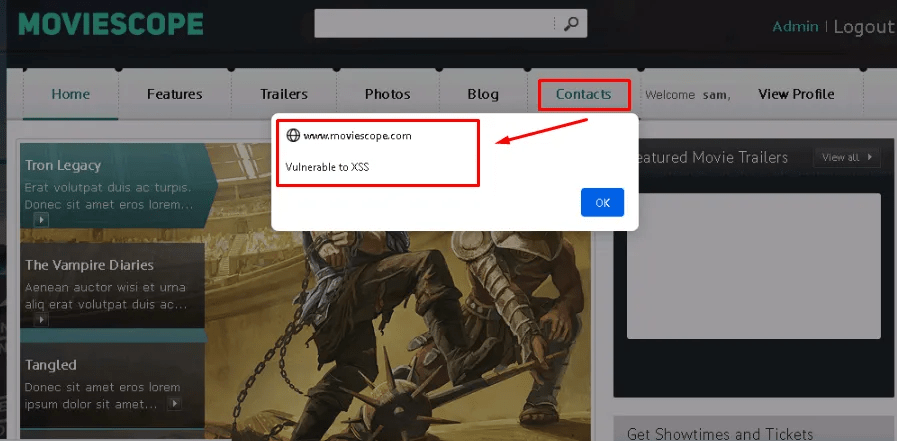
When another user navigates to the contacts page, they get a pop up saying it vulnerable to XSS – a malicious actor could type anything that could trick the user. In particular, steal session cookie that contains log-in credentials.
Detecting the Attack
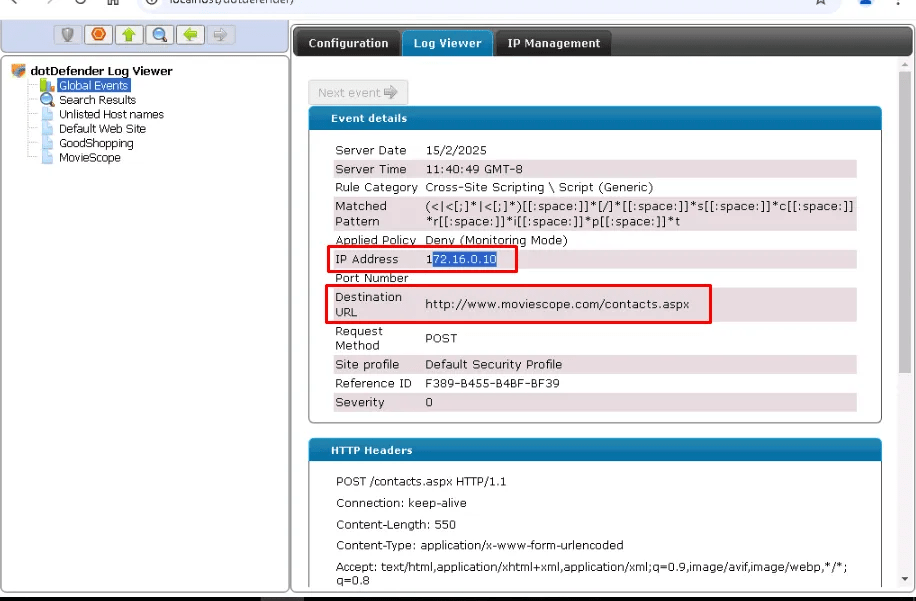
Users has continuedly reported the contact page shows the above pop-up. Also, logs in the WAF (Web Applicaiton Firewall) shows cross-site scripting is occured.

By clicking on the alert, it shows the details of the attack.
The attacker IP: 172.16.0.10
Vulnerable URL: http://www.moviescope.com/contacts.aspx
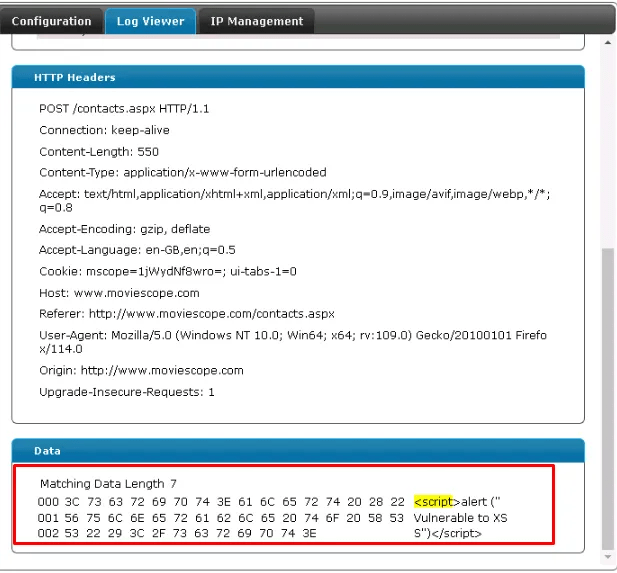
Data field in the WAF shows the injected JavaScript code.
Handling and Responding to the Attack
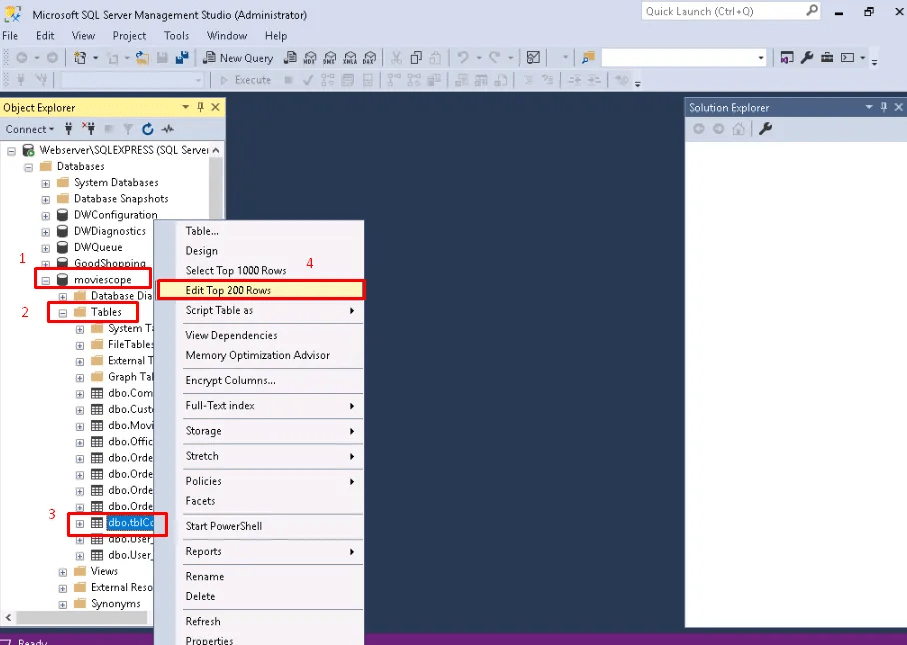
As the contact page input data is stored in SQL server, first step is to remove the stored XSS from the database. Lunch SQL Server Gui.

Navigate to the database > table> contacts > edit top 200 rows.

Delete the malicious JavaScript codes stored in the contact page.

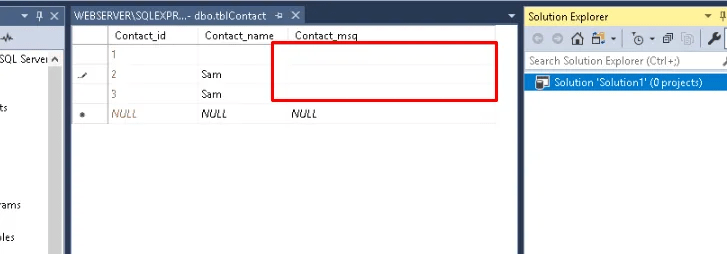
Navigating back to contact page, the pop up no longer is displayed.

Eradicating the Vulnerability
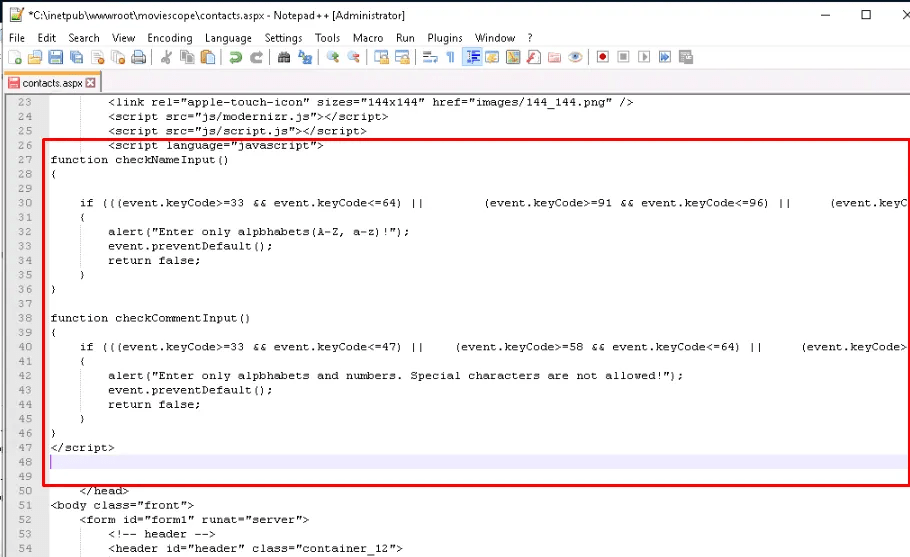
Navigate to the web root and edit contacts.aspx file
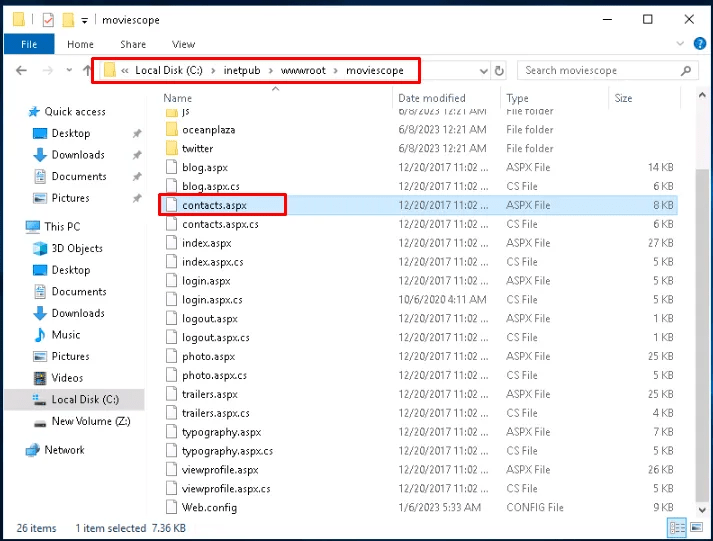
Creating input validation in the code to restrict users/attacker from entering special characters related to XSS attack.
- CheckNameInput(event)
- It blocks all special characters (
!@#$%^&*()etc.), allowing only letters (A-Z, a-z).
- It blocks all special characters (
- CheckCommentInput(event)
- It blocks special characters but allows letters (A-Z, a-z) and numbers (0-9).
- Disable copy paste of special characters
<script>
document.addEventListener("DOMContentLoaded", function () {
    // Function to validate name input (only alphabets)
    function checkNameInput(event) {
        let char = event.key;
        let regex = /^[a-zA-Z\s]$/; // Allow only alphabets and spaces

        if (!regex.test(char)) {
            alert("Enter only alphabets (A-Z, a-z)!");
            event.preventDefault();
        }
    }

    // Function to validate comment input (only alphabets and numbers)
    function checkCommentInput(event) {
        let char = event.key;
        let regex = /^[a-zA-Z0-9\s]$/; // Allow alphabets, numbers, and spaces

        if (!regex.test(char)) {
            alert("Enter only alphabets and numbers. Special characters are not allowed!");
            event.preventDefault();
        }
    }

    // Prevent pasting invalid characters
    function preventPaste(event, regex) {
        let pastedText = (event.clipboardData || window.clipboardData).getData("text");
        if (!regex.test(pastedText)) {
            alert("Pasting special characters is not allowed!");
            event.preventDefault();
        }
    }

    // Attach event listeners to inputs
    document.getElementById("nameInput").addEventListener("keypress", checkNameInput);
    document.getElementById("nameInput").addEventListener("paste", function (event) {
        preventPaste(event, /^[a-zA-Z\s]+$/);
    });

    document.getElementById("commentInput").addEventListener("keypress", checkCommentInput);
    document.getElementById("commentInput").addEventListener("paste", function (event) {
        preventPaste(event, /^[a-zA-Z0-9\s]+$/);
    });
});
</script>

<!-- Example HTML Form -->
<input type="text" id="nameInput" placeholder="Enter your name">
<input type="text" id="commentInput" placeholder="Enter your comment">
Note: the above code is updated.


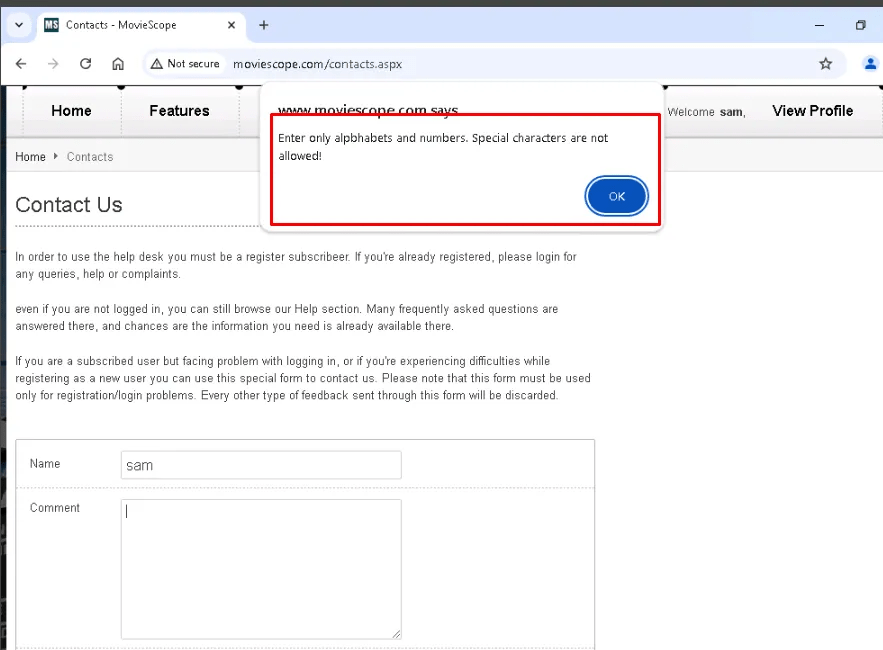
Confirm the Attack Resolution and Defense in Place
After fixing the code, attacker now cannot input XSS special characters.
References
Certified incident handler: ECIH. EC Council. (2025, January 15). https://iclass.eccouncil.org/our-courses/certified-incident-handler-ecih/
 Sailor Security