
Table of Contents
- What is RDP and how it works?
- Attack Simulation Scenario
- Detecting the Attack
- Handling and Responding to the Attack
- Confirm the Attack Resolution and Defense in place
- Tools used:
What is RDP and how it works?
An RDP attack is when a hacker tries to break into a computer or server using Remote Desktop Protocol (RDP), a tool that lets people access computers remotely.
How it Works:
- RDP is like a virtual doorway to a computer. If it’s open and not well protected, hackers can try to break in.
- They might use stolen passwords, brute-force attacks (guessing passwords until they get in), or exploits (security weaknesses in RDP).
- Once inside, they can steal data, install malware, or even take full control of the system.
Attack Simulation Scenario
- Victim Windows Machine: 10.10.10.15
- Attacker Ubuntu Machine: 172.16.0.9
Starting the RDP Brute-force Attack
Command Used:

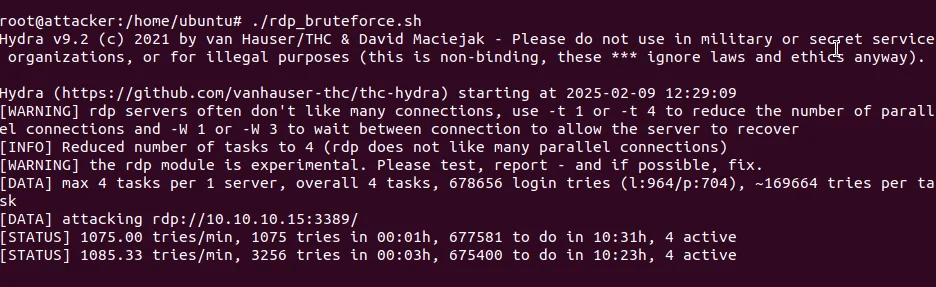
Continues Monitoring Network Logs
SOC team identifies the malicious network acitivity – high failed login attemps IOC.
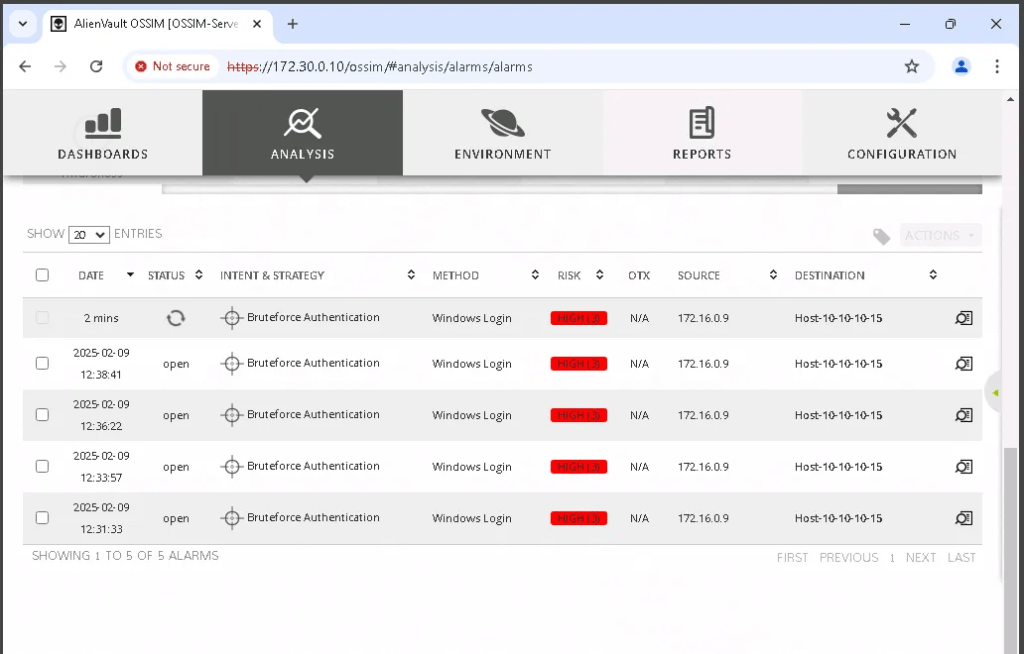
Detecting the Attack
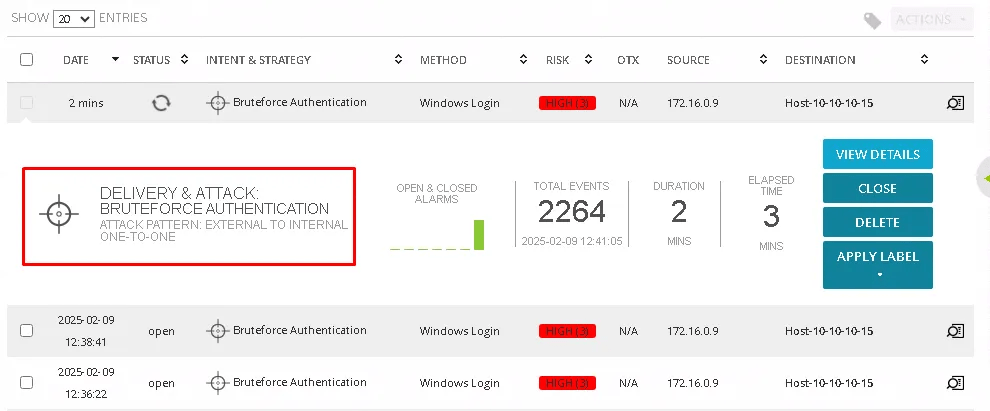
Detecting via SIEM
From the generated alarm, we can see the attacker’s IP address (172.16.0.9), the destination IP address (10.10.10.15, belonging to the Marketing Department computer), the risk rating (HIGH), the intent and strategy (Brute-force Authentication), and the method used (Windows Login).
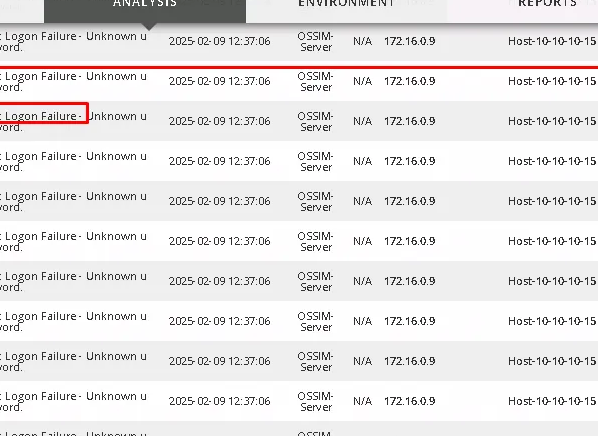
This confirms that IP address 172.16.0.9 is being used to perform a brute-force attack on the Marketing Department workstation.
Detecting via Windows Event Viewer
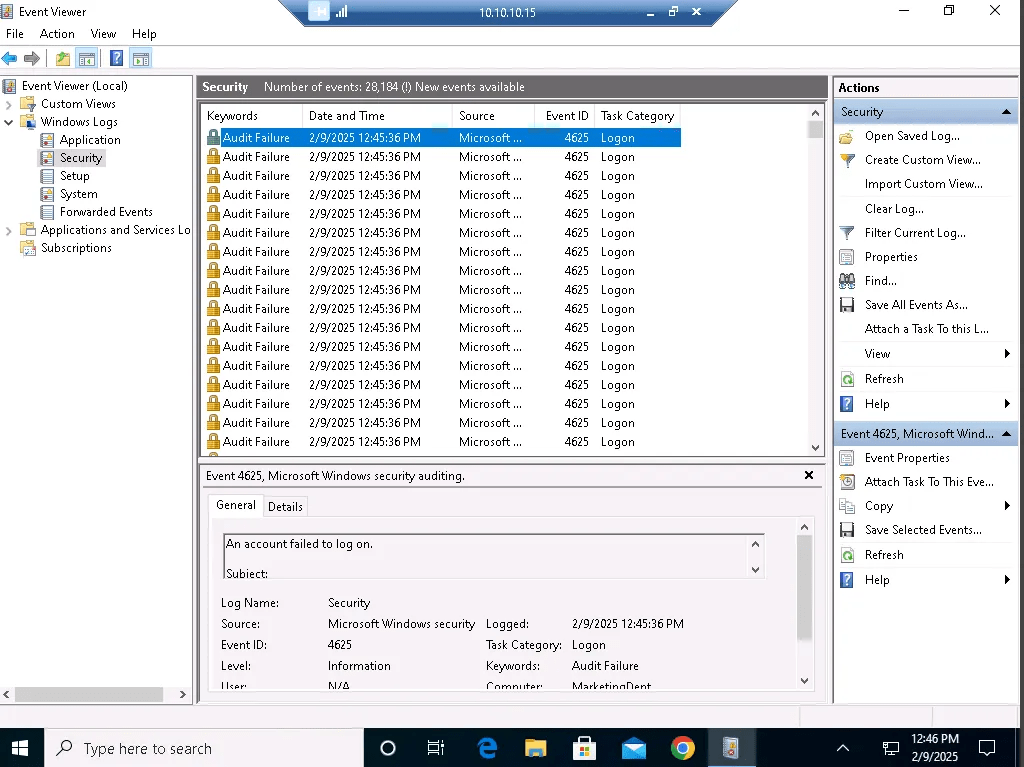
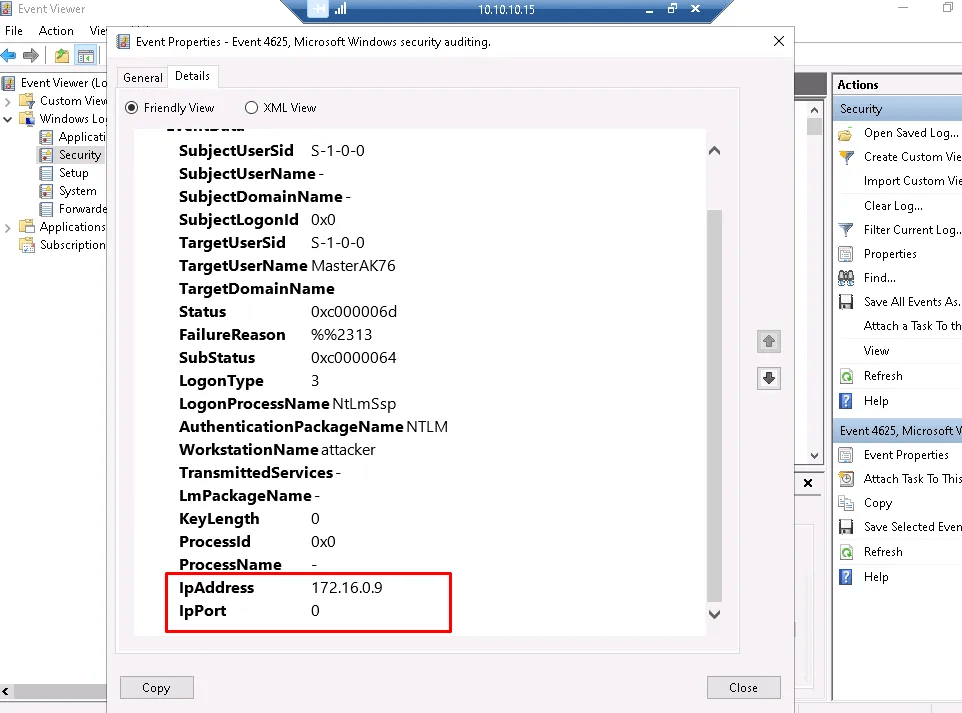
As incident handler (SOC Analyst) RDP to victim machine and check the event viewer, this is another location that confirms the attack.
Detecting via Windows Netstat
Via the target machine > Command Prompt window > type netstat -n | find “:3389” | find “ESTABLISHED” to view incoming RDP connections.
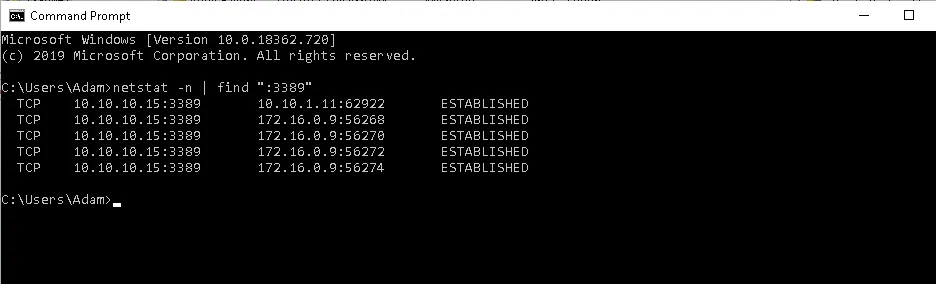
Now, it can be seen that the attacker machine is trying to establish multiple connections with the Marketing Department workstation.
Handling and Responding to the Attack
Method 1: hardcode and static block
In previous steps, the attacker IP was identified. The IP Blocker Firewall tool not only shows the attacker IP but also the high out and incoming traffic.
Below is the large number of packets arriving from Remote IP Address (172.16.0.9), which is the IP address of the attacker machine.
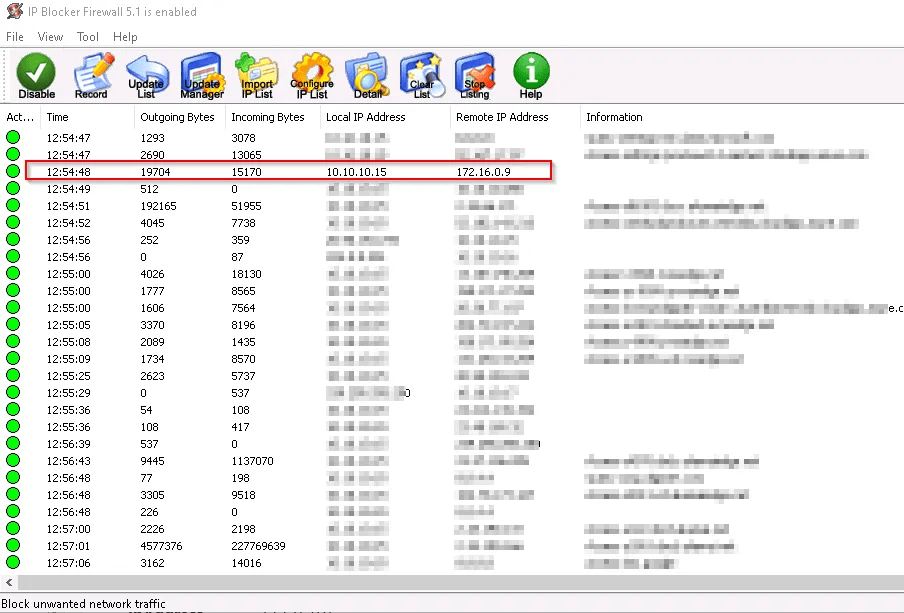
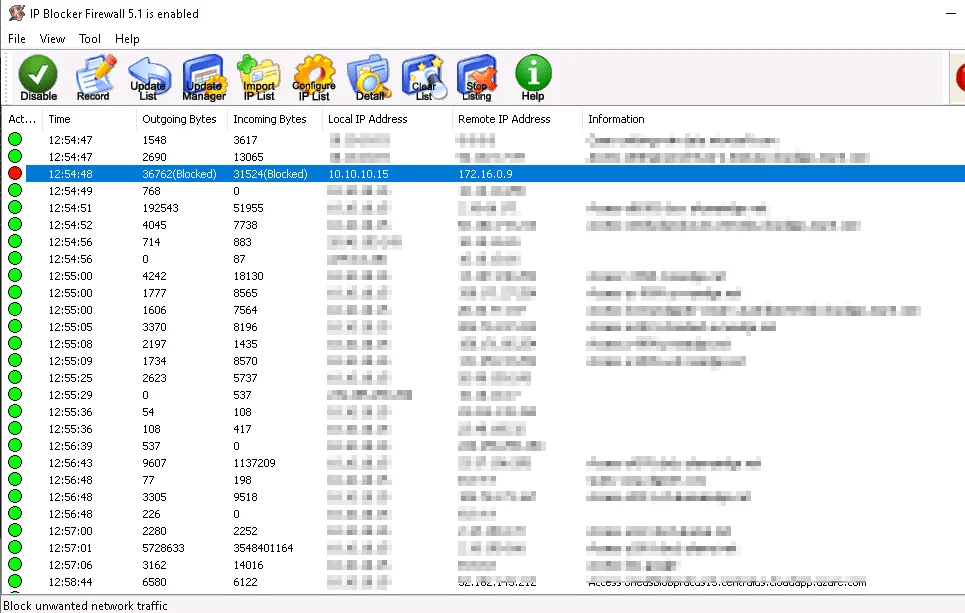
Using the IP Blocker, block the attacker IP

Status of the traffic updated to block
Method 2: Dynamic Block
RDPGuard automatically blocks any brute-force attacks targeting the machine via RDP.

Confirm the Attack Resolution and Defense in place
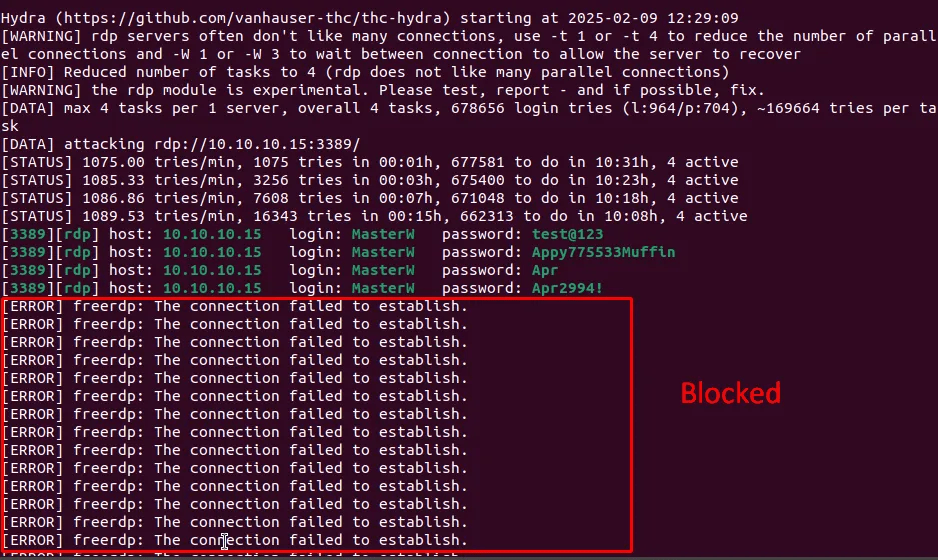
From attacker machine, it can be observed they can’t establish burtforce attack.
Tools used:
Hydra: https://www.kali.org/tools/hydra/
Windows Viewer: Native windows tool
IP Blocker: https://www.beethink.com/BeeGuardian/IPBlocker/IPBlocker.htm
RDPGuard: https://rdpguard.com/
 Sailor Security