
Table of Contents
- Overview
- Attack Simulation Scenario
- Detecting the Attack
- Handling and Responding to the Attack
- Confirm the Attack Resolution
- Tools used:
Overview
FTP (File Transfer Protocol) is used often for file transfer or file access between employees. If misconfigured, attackers can access sensitive data in the share and upload malicious files.
Attack Simulation Scenario
- Victim machine: 10.10.10.16
- Attacker machine: 172.16.0.9
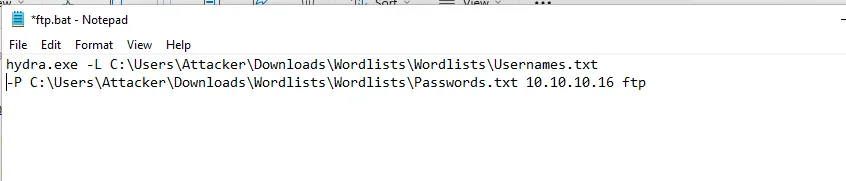
Initiating FTP Brute-Force Attack
Command Used:
Once the ftp password is found, attacker uploads the file
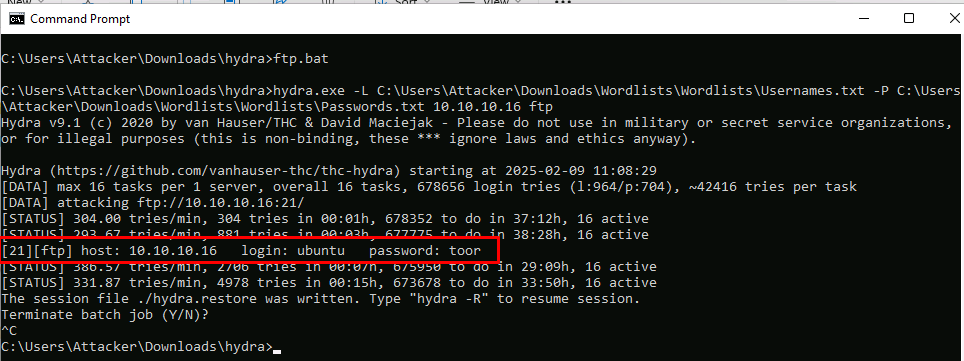
Login to the target ftp to upload the malicious file.

Detecting the Attack
Note: this project is focused on ftp -detecting and mitigating brute-force attack is in previous project.
Sales department check their share and sees an unknown files that looks malicious – and puts a ticket.
Incident Handler will review the ticket and takes below actions:
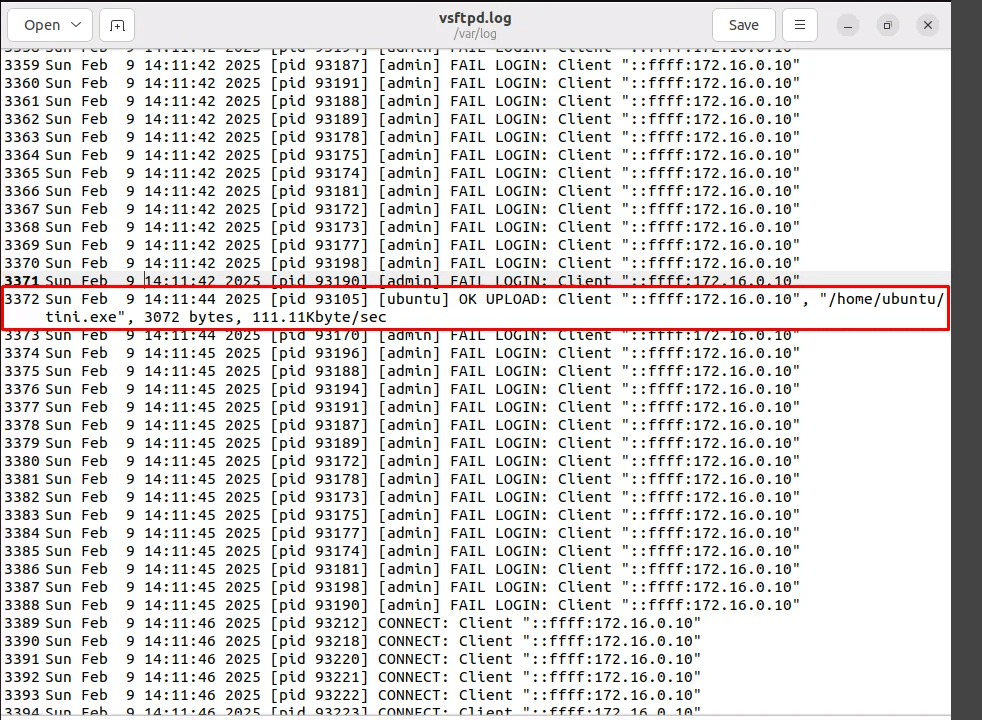
1- Checking ftp logs – confirm the file was uploaded from an internal IP.
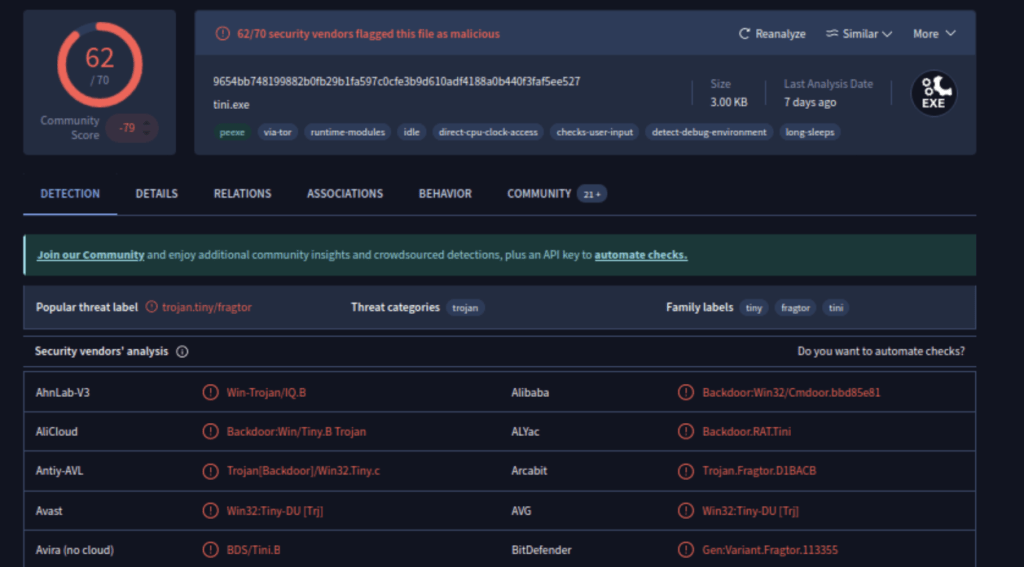
2- Analyzing the file in virustotal.com
Confirmed it is a trojan file.
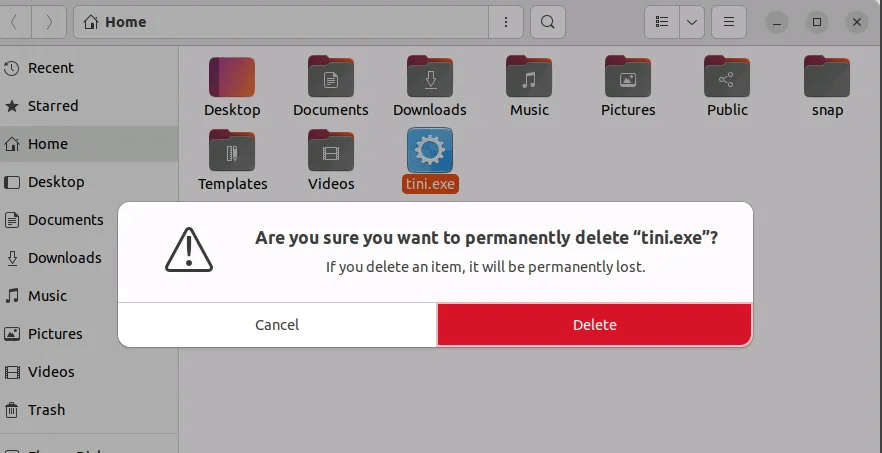
3- Delete the unknown malicious file, and have the infected device quarantined and investigated if system is further compromised
Handling and Responding to the Attack
1- Changing the password for the ftp service
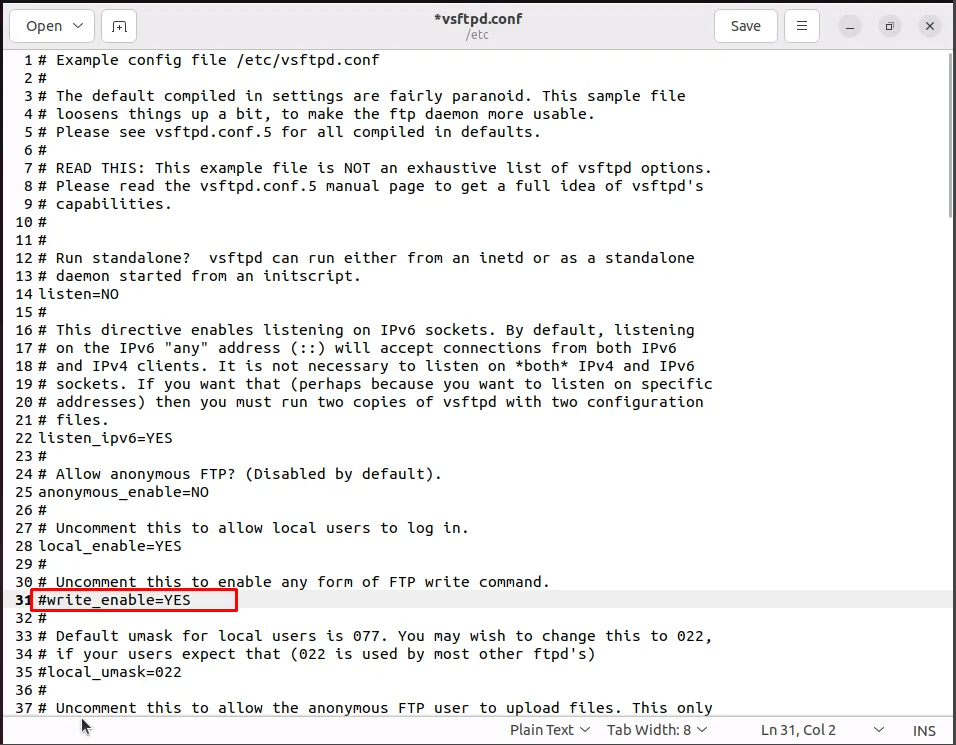
2- Blocking the ftp file upload feature- by going to vsftpd config file and commenting the write_enable
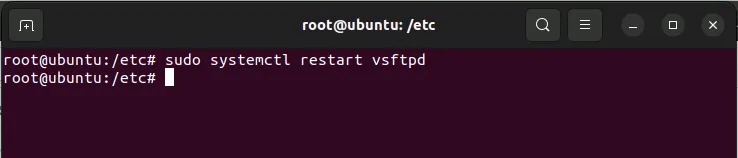
Restart the ftp service
Confirm the Attack Resolution
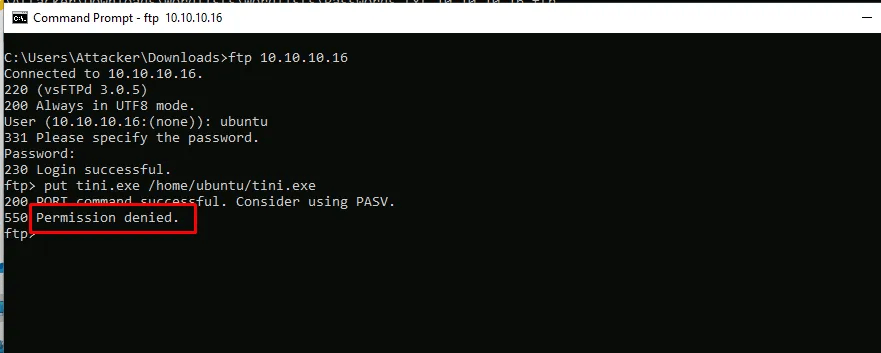
From the attacker machine, trying to upload malicious file again, permission is denied.
Tools used:
Virus Total: https://www.virustotal.com
 Sailor Security